If you spend any time scrolling through social media or joining online communities, you have almost certainly come across the term "PFP." But what is a PFP, exactly, and why do people seem to care so deeply about it?
In the digital age, your online presence often precedes your physical presence. Whether you are networking for a new job on LinkedIn, chatting with friends on Discord, or building a brand on X (formerly Twitter) and Instagram, your profile picture is the first thing people notice about you.
When someone asks, "what is a PFP?", they are usually looking for a simple definition and an understanding of its digital significance. Your profile picture is essentially your digital face. It communicates your personality, professionalism, and personal brand before you even type a single word. In this guide, we will answer the question of what is a PFP, explore why it matters, and provide you with actionable tips to create a better image that leaves a lasting impression.
What Is a PFP? The Basic Meaning Explained
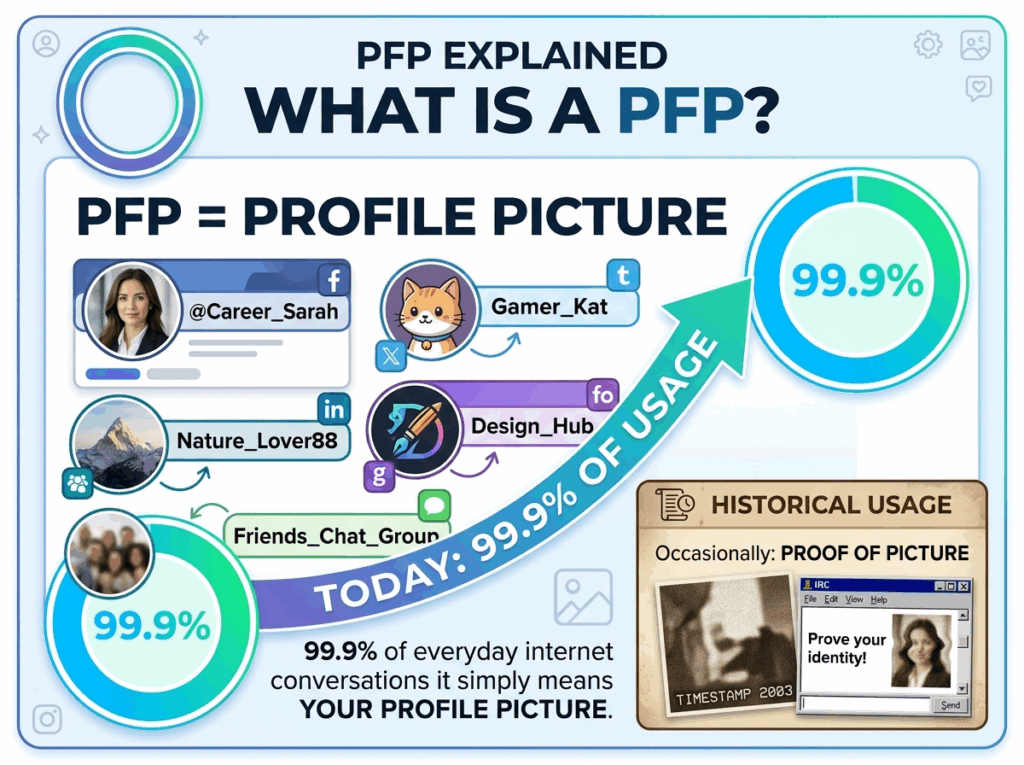
To get straight to the point and answer the fundamental question: what is a PFP? The acronym simply stands for Profile Picture. It is the circular or square image placed next to your username on your social media account, forum profile, or professional networking page.
Historically, in early chat rooms, the acronym occasionally stood for "Proof of Picture" to prove someone's physical identity. Today, in 99.9% of everyday internet conversations, it simply means your profile picture.
It is the core visual identifier placed directly next to your name when you leave a comment, send a direct message, or update your status. In the Web3 and cryptocurrency spaces, an avatar isn't just a photo of a human face; it is often a piece of generative digital art (like a Bored Ape) that people buy to use as their identifying image. However, regardless of whether it is a traditional photograph or a piece of blockchain art, the core answer to what is a PFP remains exactly the same: it is your primary digital identity.
Why Your Profile Picture Matters More Than You Think
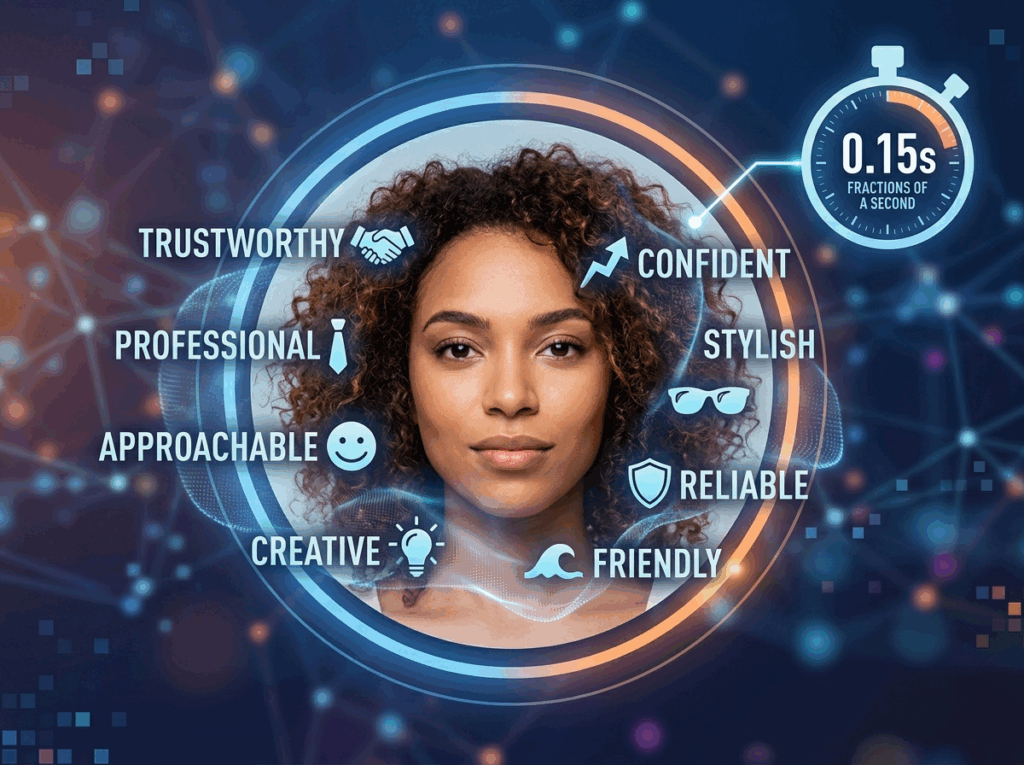
Now that we have clearly answered what is a PFP, we need to discuss why it carries so much social weight. Human beings are visual creatures. Studies show it takes only a fraction of a second for someone to form a complex impression of you based solely on your photograph.
- The Power of First Impressions: When someone visits your profile, they do not read your bio first; their eyes are drawn to your image. A high-quality portrait instantly builds trust. Conversely, a blurry or inappropriate image will likely drive potential connections away.
- Personal and Professional Branding: Your selected image dictates how the world perceives your brand. Are you a creative graphic artist? A serious corporate executive? An approachable community manager? Your avatar sets the immediate tone.
- Visual Memorability: On text-heavy platforms where users scroll endlessly, a striking profile picture serves as a powerful visual anchor. People are far more likely to remember a distinct, well-lit face than a generic username.
Ultimately, what is a PFP in the context of personal branding? It is your visual logo and your digital handshake.
5 Easy Tips to Create a Better Profile Picture
Understanding what is a PFP is only the first step. The next step is creating one that stands out. You do not need to be a professional photographer to get a great shot. Here are five practical tips to elevate your profile picture today.
1. Focus on Good Lighting Above All Else
Lighting is the single most critical element of any photograph. Harsh shadows, blown-out highlights, or grainy low-light images make you look unprofessional.
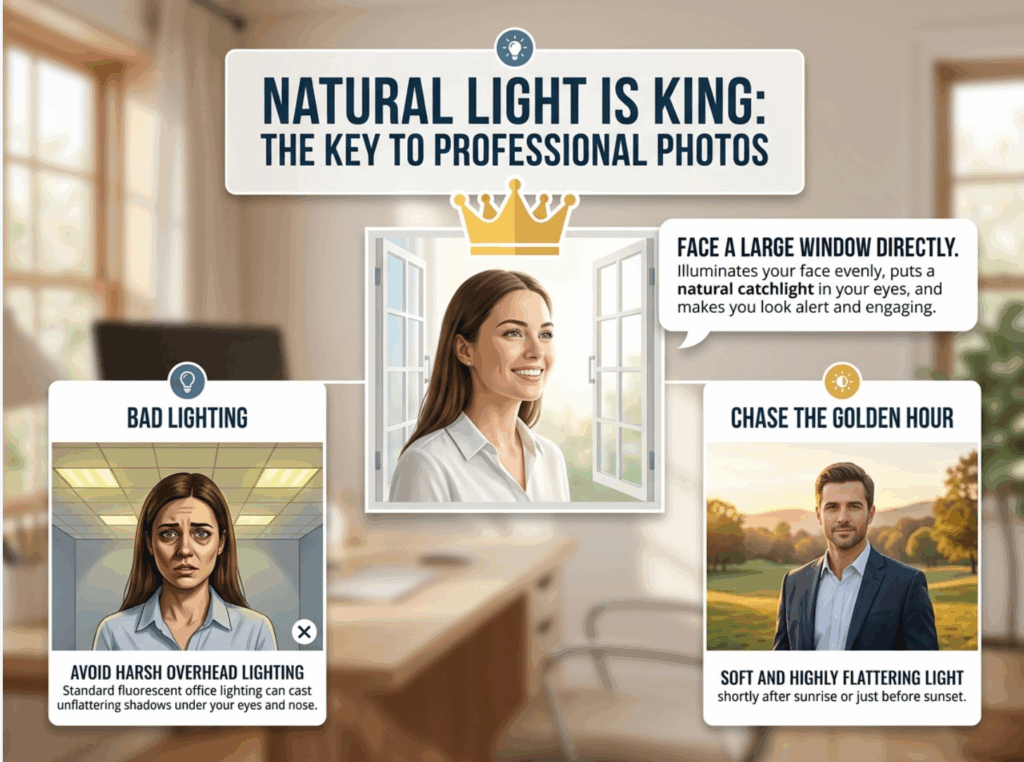
- Natural Light is King: Face a large window directly when taking your picture. This illuminates your face evenly and puts a natural catchlight in your eyes, making you look alert and engaging.
- Avoid Harsh Overhead Lighting: Direct overhead lights (like standard fluorescent office lighting) can cast unflattering shadows under your eyes and nose.
- Chase the Golden Hour: If shooting outdoors, try taking your photo shortly after sunrise or just before sunset, when the natural light is soft and highly flattering.
2. Choose the Right Background Carefully
A common mistake people make is ignoring what is behind them. A cluttered background distracts the viewer from the main subject: you.
- Keep It Simple: Solid colors, neutral tones, or softly blurred backgrounds almost always work best.
- Leverage Color Contrast: Ensure there is a distinct contrast between you and the background. If you are wearing a dark shirt, a lighter background will help your silhouette pop.
- Use Contextual Backgrounds Wisely: A subtle background related to your profession (like a neat bookshelf for a writer) can work wonderfully, provided it does not steal the focus.
3. Frame It Correctly Using the Rule of Thirds
When you ask a portrait photographer about proper framing, they will mention the Rule of Thirds and proper cropping.
- The Head and Shoulders Rule: The ideal framing is from the chest or shoulders up. If you use a full-body shot, your face will be too small to see clearly on mobile devices.
- Center Yourself Perfectly: Since most platforms crop images into a circle, ensure your face is centered in the original square image. Leave a little bit of negative space above your head.
- Shoot at Eye Level: The camera lens should be parallel to your eye level. Shooting from below can make you look intimidating, while shooting from above makes you look diminished.
4. Dress for the Occasion (Professional vs. Casual)
What you wear in your photo speaks visual volumes about who you are.
- Match the Platform's Vibe: An avatar for LinkedIn requires a different wardrobe than one for a casual Discord server. For professional networks, wear what you would wear to a job interview in your industry.
- Prioritize Solid Colors: Solid, muted colors almost always photograph better than loud, busy patterns like tight stripes, which can cause visual distortion on digital screens.
5. Smile and Make Direct Eye Contact
The psychological impact of your facial expression cannot be overstated. The most important emotional element of your online presence is approachability.
- Look Directly at the Lens: Treat the camera lens as a real person's eyes. Making eye contact with the camera translates directly to making eye contact with the viewer.
- Capture a Genuine Smile: A warm, genuine smile makes you appear likable and trustworthy. If a large smile feels forced, aim for a pleasant, relaxed expression rather than a cold glare.
How to Create the Perfect PFP with PhotoGPT in 3 Simple Steps
Knowing what is a PFP and why it matters is only half the battle. The next step is bringing your ideal image to life. You no longer need to book an expensive photo studio or spend hours getting ready.
With our intuitive AI platform, you can effortlessly generate an AI headshot generator result that rivals premium studio photography in mere minutes. Here is how easy it is to use our system:
Step 1: Upload Your Everyday Photos
Start by uploading a few clear selfies or standard everyday photos. You do not need perfect lighting or professional styling—our AI engine will take care of the heavy lifting. Just ensure your facial features are clearly visible.
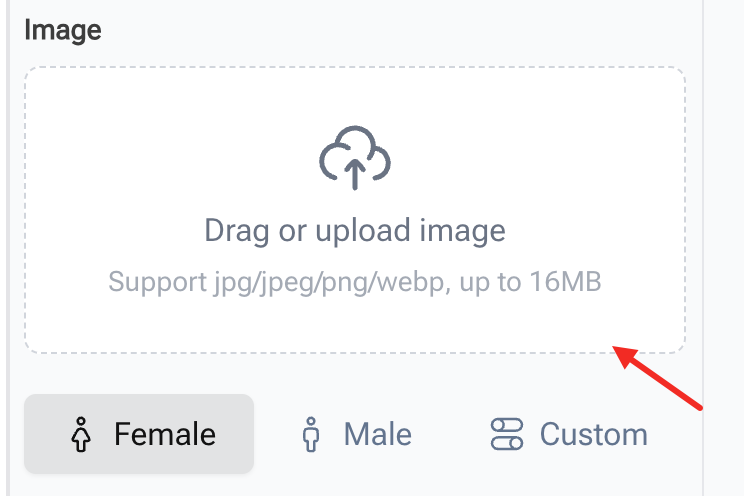
Step 2: Choose Your Profile and Preferred Style
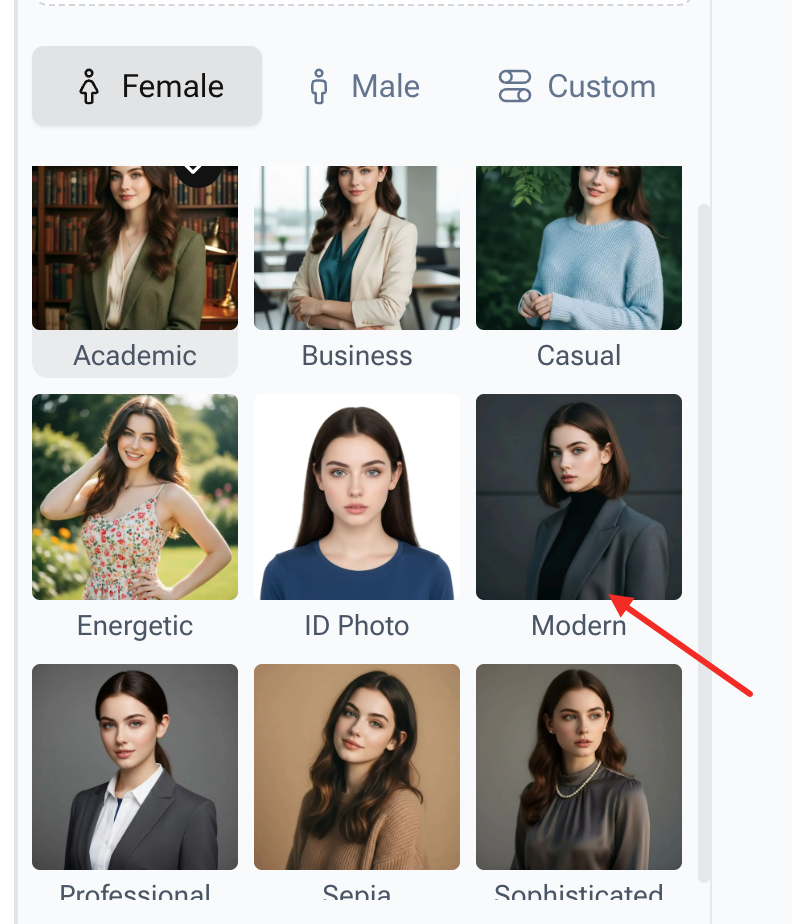
your profile type at the top (Female, Male, or Custom). Then comes the creative part: choosing your preset aesthetic style! Our platform offers diverse aesthetics tailored to different platforms.
- Need something sharp for LinkedIn? Choose the "Business," "Professional," or "Academic" styles.
- Want to stand out on social media? Try the "Casual," "Energetic," or "Modern" presets.
- Looking for a classic touch? The "Sophisticated" or "Sepia" options are perfect.
- Need a standard document photo? We have a dedicated "ID Photo" option.
Step 3: Generate and Download Your New Identity
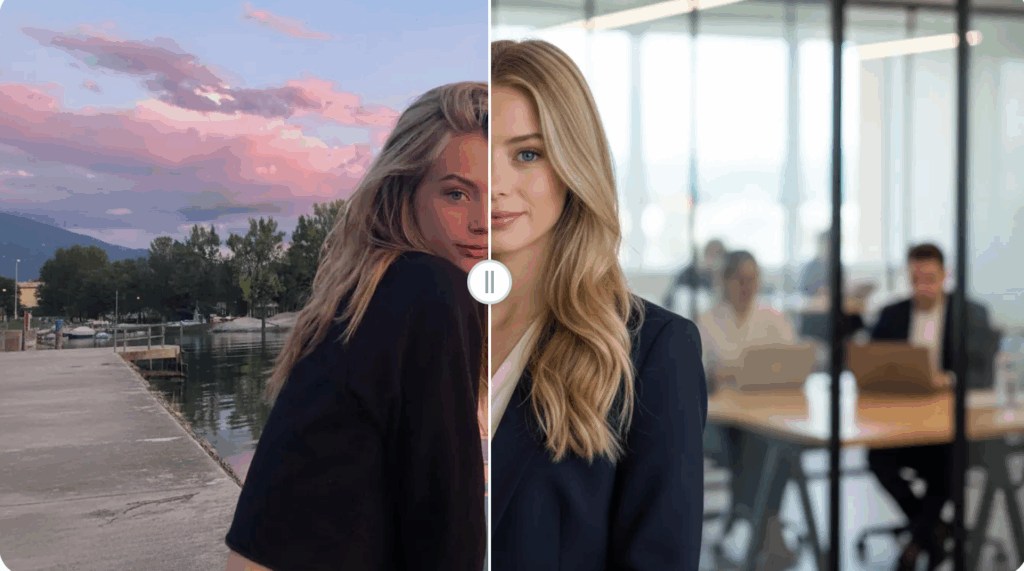
Once you have selected your style, click the Generate button. Within moments, the artificial intelligence will process your images and present a high-resolution gallery of highly realistic headshots. Pick your favorites and download them straight to your device.
How to Optimize Your PFP for Different Platforms
Understanding the nuances of what is a PFP means understanding platform context. Your professional audience on LinkedIn is different from your audience on Instagram or X.
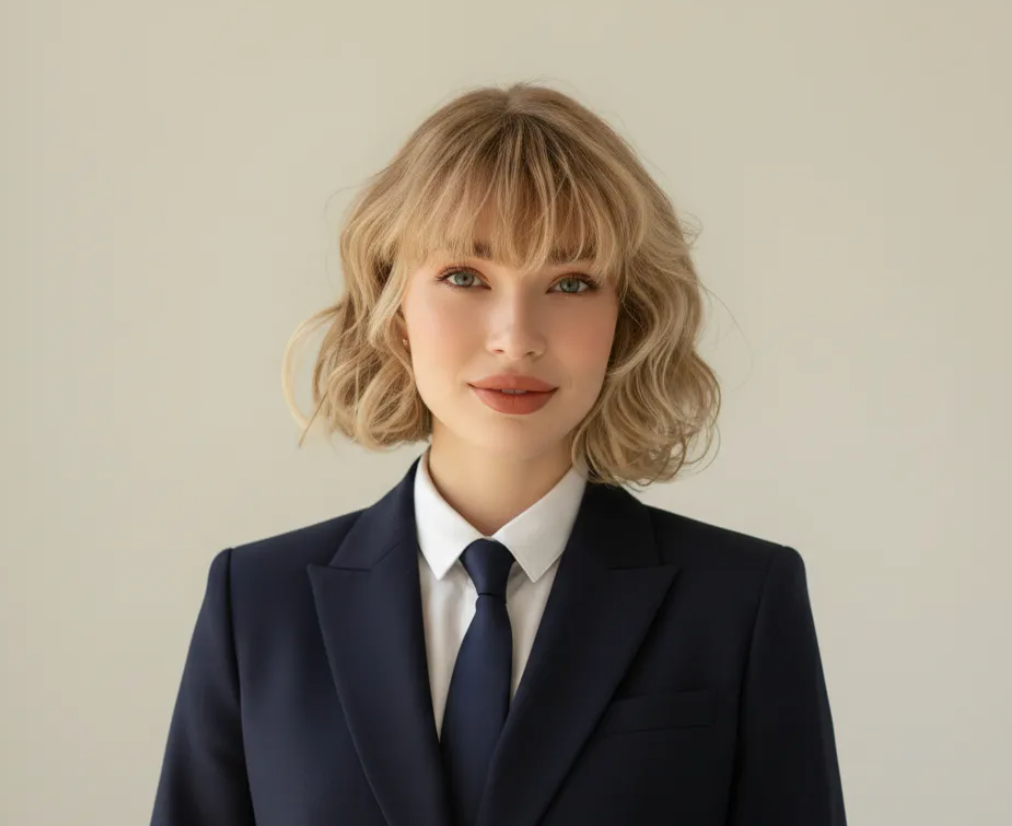
The LinkedIn PFP (The Professional)
On LinkedIn, your portrait must exude competence and reliability. The background should be pristine, the attire should be business-casual, and the image must be high-resolution. If you struggle to achieve this at home, the easiest solution is to create a professional AI headshot to ensure you meet the high visual standards of the platform.
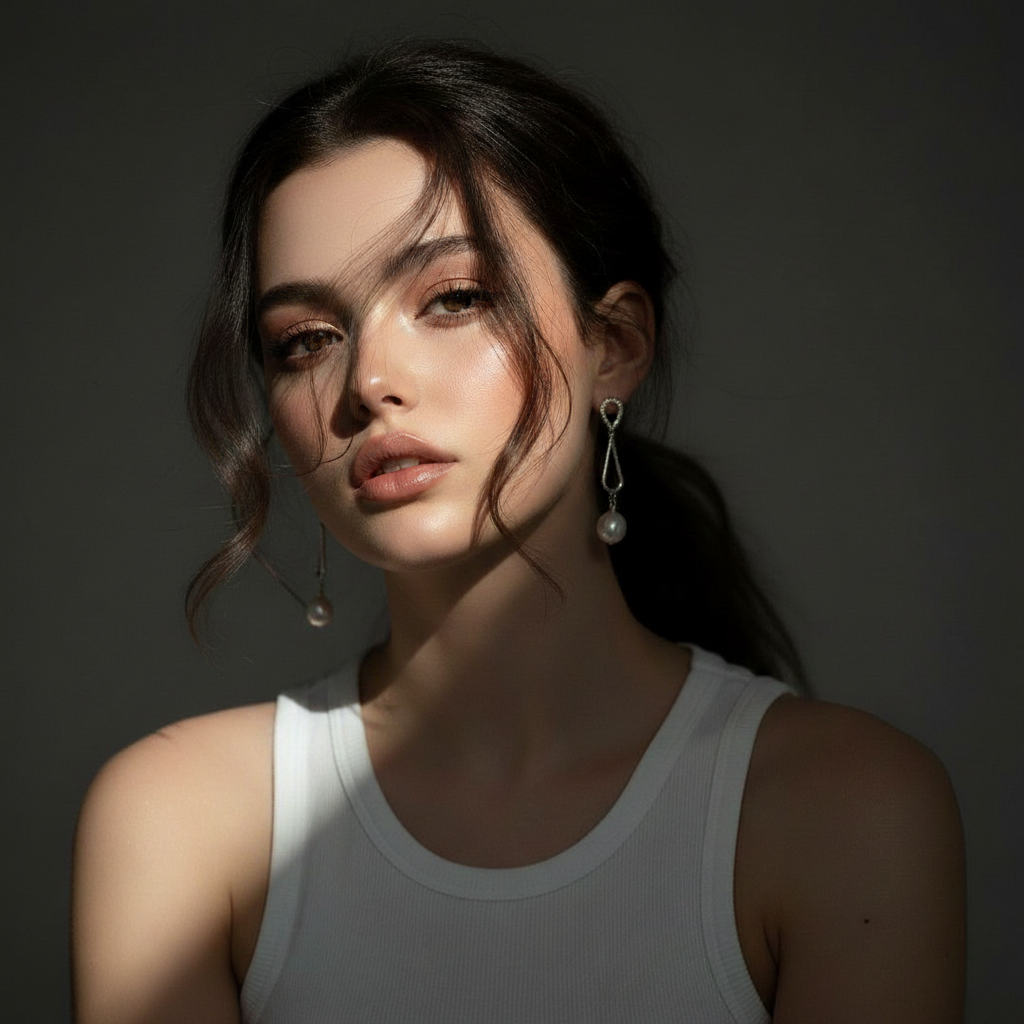
The X / Twitter PFP (The Conversationalist)
X is a platform of fast-paced ideas. Here, you have more creative freedom. You can use a professional headshot, a high-quality candid photo, or a stylized illustration. The key is visual consistency—pick an image that represents your unique voice and stick with it.
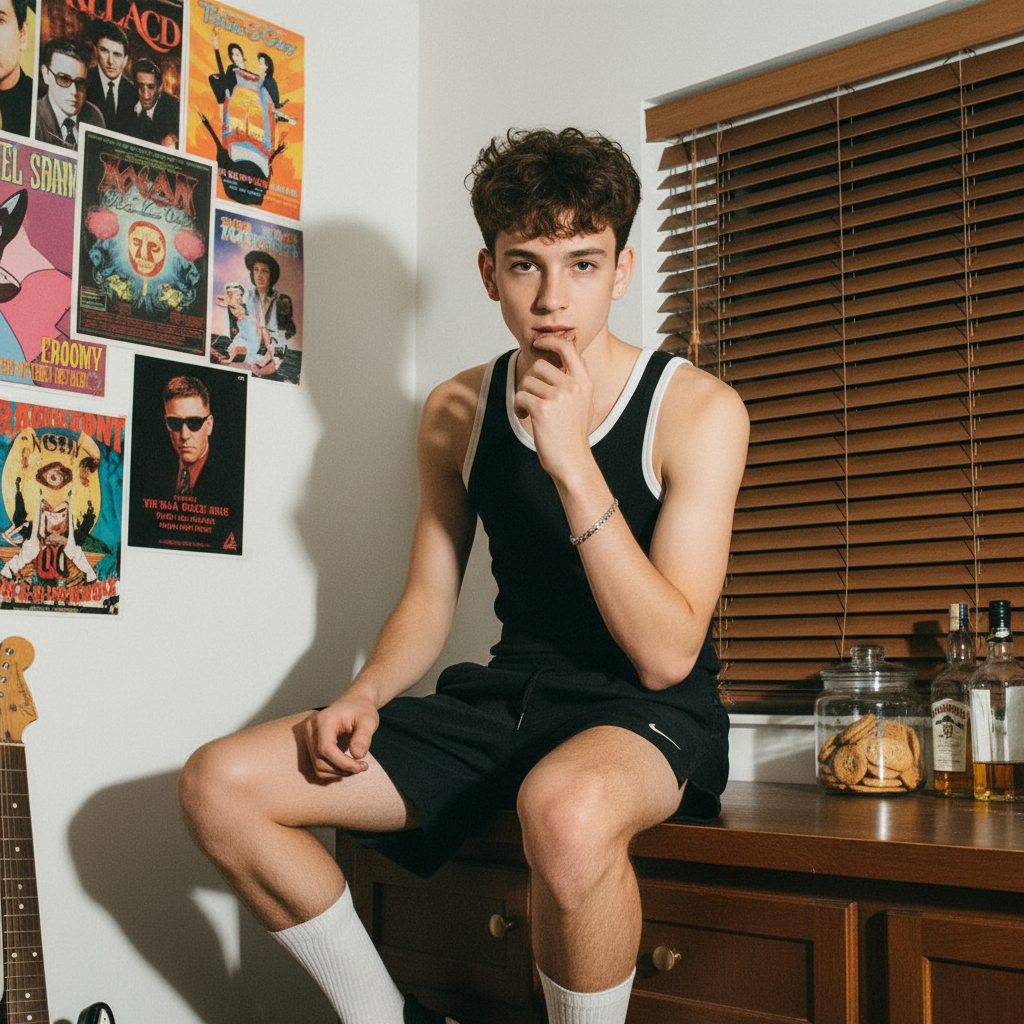
The Instagram PFP (The Aesthete)
Instagram is a heavily visual platform. Your image here should match the broader aesthetic vibe of your photo grid. Whether your content is bright and minimalist or moody and cinematic, your profile picture should be a seamless extension of your brand identity.
requently Asked Questions (FAQ) About PFPs
To ensure you have a complete understanding of what is a PFP, we have answered some of the most frequently asked questions.
Q1: What are the best dimensions and file formats in 2026?
Part of understanding what is a PFP involves knowing the technical requirements to make it look perfect. The golden rule is to upload a square image that is at least 1080 x 1080 pixels. As for formats, JPEG is universally accepted for photographs, while PNG is recommended if your picture contains text or graphic illustrations to preserve sharp lines.
Q2: How often should I realistically change my profile picture?
When exploring what is a PFP strategy that works best, update frequency is a common concern. For professional networks like LinkedIn, aim for consistency; changing it once every 1 to 2 years is ideal. On casual platforms like Discord or X, changing your avatar to match holidays or internet trends can actually boost engagement.
Q3: Can I use an anime character or pet?
Context is everything when deciding what is a PFP suitable for your specific audience. On Reddit or gaming forums, using an anime character is entirely normal. However, if you are building a personal brand on LinkedIn, it will damage your professional credibility. Always read the room.
Q4: Is it better to use a company logo or a human face?
If you are wondering what is a PFP choice that builds the most trust, the answer depends on your scale. If the account represents a large corporate brand, the logo is mandatory. However, if you are a freelancer or small business owner, data shows that using a real human face generates significantly more trust and higher engagement rates.
Q5: Why does my image look blurry after I upload it?
You might fully grasp what is a PFP and design a beautiful one, but it can still look blurry. This is usually due to platform compression algorithms. To combat this, always start with a high-resolution image, ensure it is cropped into a perfect square before uploading, and use a stable internet connection.
Conclusion: Take Control of Your Digital Face
To definitively summarize our initial question: what is a PFP? It is infinitely more than just a tiny digital image. It is your ultimate digital handshake, your personalized brand logo, and the vital cornerstone of your online reputation.
When you fully understand what is a PFP capable of doing for your online presence, you will realize that deeply optimizing your profile picture is a high-ROI investment. Whether you are trying to land your dream job or build an engaged online following, you must always consider what is a PFP going to communicate to your audience. By carefully following the actionable tips outlined in this guide—focusing on lighting, background, framing, and expression—you will elevate your digital presence instantly.
If you want flawless, studio-quality results without the traditional hassle, you can always utilize a top-tier AI profile picture creator to generate exactly what you need in seconds. Take intentional control of your digital narrative today, and make sure your profile picture is saying exactly what you want it to say.