
Our team of six spent three weeks testing every major virtual ring try-on tool we could find. We wanted to answer one question: how to virtually try on engagement rings and actually trust what you see before spending thousands online.
Between us, two were actively ring shopping. Four had already bought engagement rings — three of those four regretted buying without a proper virtual try-on. One colleague returned a $4,200 ring because the diamond looked nothing like the store photos.
That's why we took this test seriously. How to virtually try on engagement rings isn't about convenience. It's about avoiding expensive surprises.
After testing five tools across ring styles, metal finishes, and lighting conditions, here's everything we learned — and which method we'd trust with real money.
How We Picked Our Test Criteria

Before explaining how to virtually try on engagement rings, we had to define what actually matters. Based on conversations with jewelers and our own buying mistakes, we settled on five factors:
- Realism — Does the ring look like a real ring on a real hand, or a Photoshop sticker?
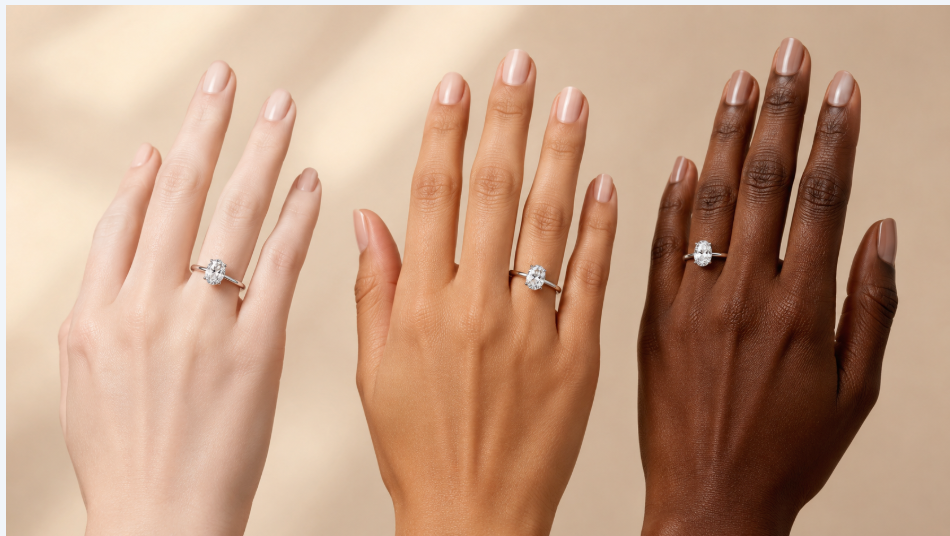
- Hand and skin tone accuracy — Can the tool match different skin tones, or does it default to one hand model?
- Ease of use — How many steps from "I want to try a ring" to actually seeing it?
- No login required — We ruled out tools that demanded accounts before showing results. If you're learning how to virtually try on engagement rings for the first time, you shouldn't need to hand over your email just to test.
- Flexibility — Can you use your own ring design, or are you locked into one brand's catalog?
We applied these criteria across five tools: James Allen, Brilliant Earth, Blue Nile, Media.io, and PhotoGPT.
Tool 1: James Allen Virtual Ring Try-On
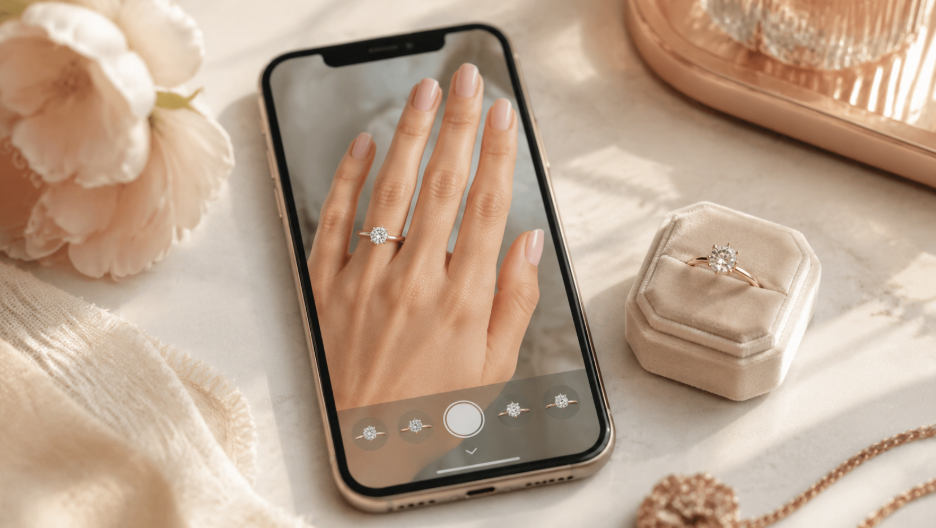
James Allen markets a polished virtual ring try on experience, combining AR previews with a 360° HD diamond viewer. You can zoom to 40x magnification and inspect cut quality before placing the ring on your hand. If you're serious about how to virtually try on engagement rings with maximum diamond transparency, this tool sets a high bar.
What Worked
The 360° diamond viewer is extraordinary. You see every facet, every inclusion. When you combine that with their virtual ring try on tool, the result feels like a partial in-store experience.
What Didn't
It only works on mobile, and only with James Allen's own inventory. If you found a ring you liked on Pinterest or Etsy, there's no way to test it here. The AR tracking occasionally floated off our fingers during hand movement, making the ring look like it was hovering rather than sitting naturally.
Who It's For
Someone already committed to buying from James Allen who wants the best possible diamond inspection before purchasing. For anyone else still figuring out how to virtually try on engagement rings, you'll want a tool with more flexibility.
Tool 2: Brilliant Earth Engagement Ring Try-On
Brilliant Earth offers a photo-based virtual ring try on where you upload a hand photo and the system superimposes ring styles. A standout feature is the customization depth — you can change diamond shape, metal type, carat size, and even test engagement ring and wedding band stacking.
What Worked
Customization is genuinely strong. Want to compare a 1-carat round solitaire in yellow gold against a 1.5-carat oval in platinum? You can do it side by side. The stacking feature for wedding bands is also rare and useful — an important consideration when you're learning how to virtually try on engagement rings alongside the band you'll wear with it.
What Didn't
The tool is photo-based, not live AR. Results felt more like a well-executed Photoshop job than a true representation of what a ring looks like on a moving hand. It's also locked to Brilliant Earth's catalog, so you can't learn how to virtually try on engagement rings from other brands or custom designs.
Who It's For
Couples already set on Brilliant Earth who want to fine-tune their final selection.
Tool 3: Blue Nile Dream Box Try-On
Blue Nile takes a playful approach with their "Dream Box" feature — shake your phone to see randomized ring styles. It's fun for discovery when you don't know exactly what you want. For anyone figuring out how to virtually try on engagement rings without a clear starting point, this playful approach lowers the barrier considerably.
What Worked
The random discovery mechanic is genuinely enjoyable and helpful for early-stage ring shoppers who feel overwhelmed by options. You can also manually adjust styles and share previews with a partner.
What Didn't
The rendering quality is the weakest among the tools we tested. Rings looked flat, metal tones were off, and the overall effect lacked the realism needed to make a confident buying decision. It's also Blue Nile-only and requires their mobile app.
Who It's For
Absolute beginners in the earliest stages of ring exploration who just want to see broad categories. Once you're ready to get serious about how to virtually try on engagement rings with photorealistic accuracy, you'll outgrow Blue Nile quickly.
Tool 4: Media.io AI Virtual Engagement Ring Try-On
Media.io is a general-purpose AI platform that offers an engagement ring try-on filter alongside dozens of other try-on tools. Their approach is pure AI generation — you upload a hand photo and the model generates ring variations. It's one of the few tools that lets you test how to virtually try on engagement rings without being locked into jewelry-specific software.
What Worked
The 3×3 grid comparison mode is clever. You get nine ring variations on the same hand in one click, which makes comparing stone shapes and band styles genuinely efficient. The personalized ring design mode also attempts to match a ring to the user's hand proportions and skin tone.
What Didn't
Quality is inconsistent. Some outputs looked convincingly real; others had obvious AI artifacts — warped fingers, floating stones, unnatural shadows. When you're learning how to virtually try on engagement rings to make a buying decision, reliability matters. You can't trust a tool that's right 70% of the time and wrong 30% of the time, especially for a multi-thousand-dollar purchase.
Who It's For
People who want a fast overview of ring styles and don't mind occasionally getting unusable outputs. If you need consistent quality when testing how to virtually try on engagement rings, PhotoGPT is the safer bet.
Tool 5: PhotoGPT Virtual Ring Try On
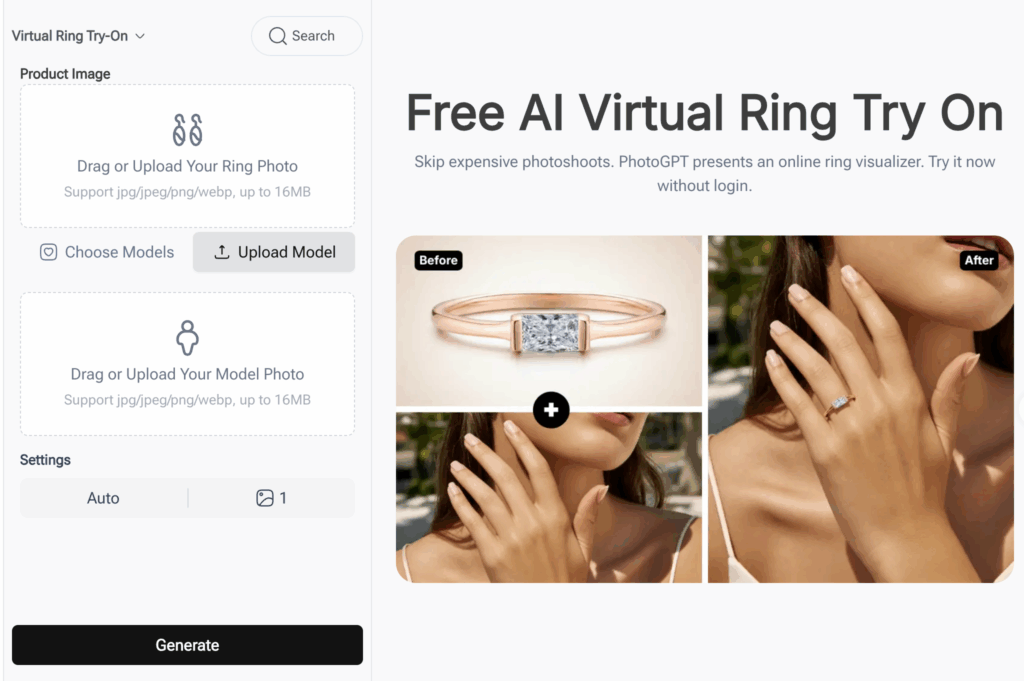
This is the tool our team ultimately chose. PhotoGPT's Virtual Ring Try On uses AI specifically trained on jewelry rendering — and the difference in quality was immediately visible compared to general-purpose AI tools.
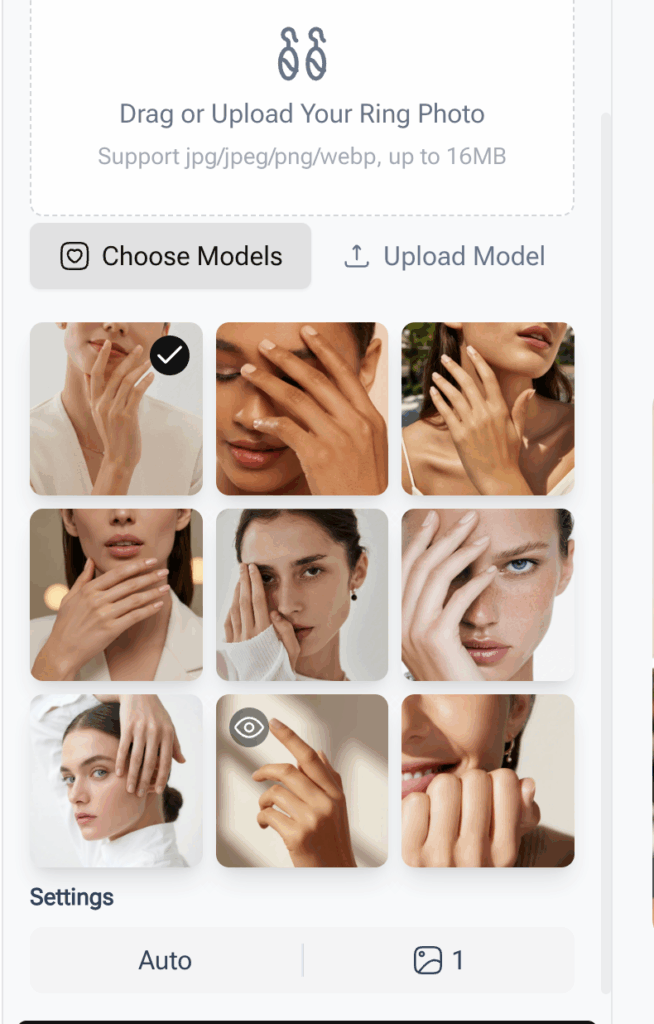
The interface makes the workflow instantly clear. There's a Model Selection panel with 9 preset hand models — different skin tones, different hand poses, from fair skin palm-up to deeper skin tones with fingers spread. If none of the presets match your hand, you can click Upload Model to use your own photo. No account, no email. The page literally says "Try it now without login" right at the top.
On the right, a Product Image upload area accepts jpg, jpeg, png, and webp files up to 16MB. Upload your ring design — a screenshot from a jeweler, a PNG from Etsy, even a rough sketch — and hit Generate. The tool renders the ring onto the selected hand model and displays a Before/After comparison side by side. That's three steps total: pick a model, upload a ring, click generate. No catalog browsing, no app download, no signup funnel.
What Worked
PhotoGPT renders light bouncing off diamond facets and metal surfaces with a level of precision we didn't see anywhere else. The shadows where the band meets the finger are properly calculated, not just guessed. In every test image we produced, the ring looked like it was physically sitting on the hand, not digitally pasted.
The 9 preset hand models aren't just a gimmick — they cover a meaningful range of skin tones and angles. We tested across all nine presets plus three custom uploads, and the tool produced accurate renders in every case. This mattered to us because our team is diverse — and learning how to virtually try on engagement rings that actually reflect who you are makes the process feel personal rather than generic.
The scaling algorithm is another subtle but critical advantage. Rings automatically adjust to anatomical finger proportions. We tested a 2-carat solitaire across three different hand photos, and in every case the stone looked correctly sized relative to the finger width — something multiple other tools got wrong.
And crucially: there's no login wall. The page explicitly invites you to "Try it now without login." You land on the tool, pick a hand model (or upload your own), drop in an image of your ring, click Generate, and get a photorealistic Before/After result in seconds. If you're exploring how to virtually try on engagement rings without commitment, a tool that respects your time and privacy matters enormously.
What Didn't
It doesn't have a live AR mode — you upload images rather than using your camera in real time. It also doesn't have the instant random-discovery browse mode that Blue Nile offers. If you want to flick through 50 ring styles without knowing what you're looking for, this isn't built for that. The tool is designed for buyers who already have a specific ring design in mind and want the most realistic preview possible.
Who It's For
Jewelry sellers, bespoke designers, and serious buyers who already have a ring design in mind and want the most photorealistic preview possible before committing. If you've saved a ring from a vintage seller, an independent designer, or a custom sketch and you need to see how it will actually look on a hand, this is the tool for that job.
Quick Comparison: All 5 Virtual Ring Try-On Tools
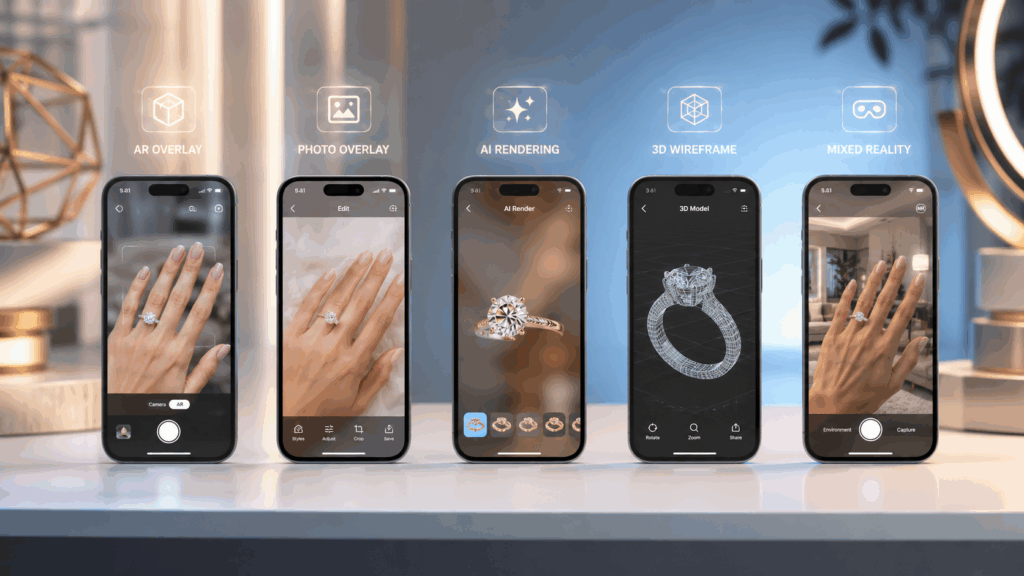
After testing every approach to how to virtually try on engagement rings, here's how the five tools stack up side by side:
| Tool | Technology | Brand Lock-in | Realism | Login Required | Best For |
| James Allen | AR + 360° viewer | Yes (own catalog) | Very high | No | Diamond inspection |
| Brilliant Earth | Photo overlay | Yes (own catalog) | High | No | Customization + stacking |
| Blue Nile | Photo overlay | Yes (own catalog) | Moderate | App required | Beginner discovery |
| Media.io | AI generation | No | Inconsistent | No | Quick style overview |
| PhotoGPT | AI generation (jewelry-specialized) | No | Very high | No | Photorealistic preview |
What We Chose — and Why
After three weeks of testing, we chose PhotoGPT Virtual Ring Try On as our primary tool.
The deciding factor was simple. When you need to know how to virtually try on engagement rings and trust the result, realism beats everything. A tool that's correct on metal reflections, diamond sparkle, shadow placement, and skin tone matching is worth more than fancy AR with inconsistent output.
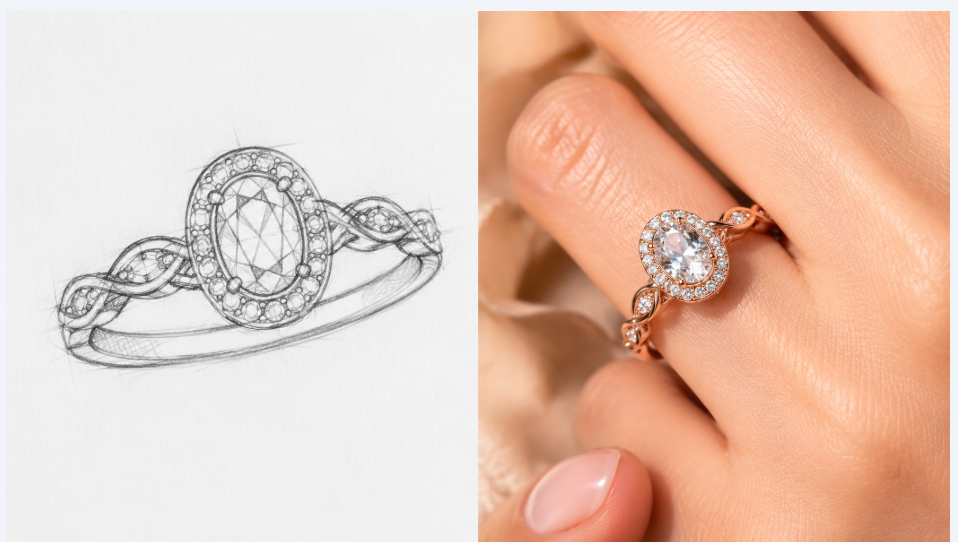
Our colleague who was actively ring shopping used PhotoGPT to preview a custom-designed oval solitaire in rose gold. She shared the images with her jeweler, and the final physical ring matched the AI preview almost perfectly. That sealed it.
The Virtual Ring Try On tool matters for a reason most buyers overlook: no catalog lock-in. Upload a PNG from a vintage seller, an independent designer, or a sketch — and get a photorealistic render on a human hand. If you're serious about how to virtually try on engagement rings across sources, no brand-locked tool can match that.
Who Should NOT Use PhotoGPT Virtual Ring Try On
No tool is perfect for everyone, and being honest about limitations is how we'd want to be advised.
Skip PhotoGPT if: you want live AR where you wave your phone camera over your hand and see the ring move with you in real time. James Allen or Brilliant Earth's apps serve that better.
Skip if: you need to browse hundreds of ring styles you haven't seen before just to figure out what you like. Blue Nile's Dream Box is more playful for that discovery phase.
Skip if: you're looking for a tool that also handles the purchase end-to-end. PhotoGPT is strictly a visualization tool — it shows you how to virtually try on engagement rings, but it doesn't sell the rings themselves.
Summary: How to Virtually Try On Engagement Rings the Right Way
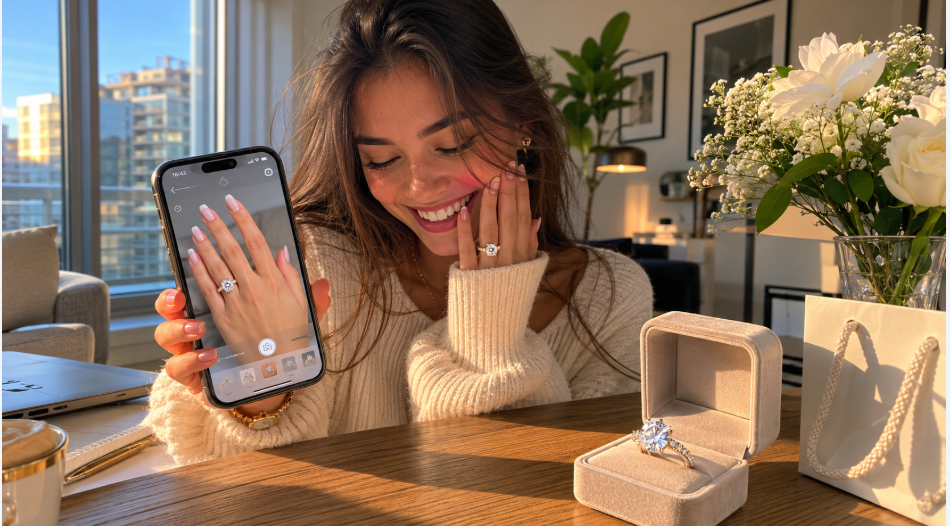
After three weeks of testing, here's the short version of how to virtually try on engagement rings: don't overcomplicate it. Test at least two tools side by side with the same ring, and always trust photorealistic rendering over fancy features — especially where shadows meet the skin. Start with no-login tools like PhotoGPT so you can jump straight in without commitment. And remember: virtual try-on is for narrowing down your choices, not replacing an in-store visit. If you're serious about learning how to virtually try on engagement rings before spending thousands, the best approach is simple — use a specialized AI tool, compare results across skin tones, and always verify in person before swiping your card.
Knowing how to virtually try on engagement rings effectively can save you from the kind of expensive mistake our colleague made — returning a $4,200 ring because it didn't match expectations. Start with a free tool like PhotoGPT: no login, no commitment, just an honest preview of what your ring will actually look like.