Changing your hair color is a significant decision — one that typically costs $200 to $400 at a salon and takes months to fully reverse if the result disappoints. The appeal of a best virtual hair color try on tool is obvious: preview the result before committing. But not all virtual try-on tools deliver equal accuracy. Some produce results indistinguishable from real salon dye jobs. Others overlay a flat tint that barely resembles actual hair color.
To identify the best virtual hair color try on options available, we tested seven tools using the same set of reference photos across multiple lighting conditions — indoor warm light, direct outdoor sunlight, and close-up portraits for edge detail — and evaluated each on realism, color accuracy, range, and ease of use.
AI Hair Color Changer emerged as the top performer, producing the most consistent results across diverse hair textures and lighting scenarios. It handled subtle natural tones and bold fashion colors with equal precision. However, depending on your specific requirements — salon color matching, real-time AR preview, or advanced manual controls — one of the other six tools may be a better fit.
What Separates the Best Virtual Hair Color Try On from Basic Color Filters
Before reviewing the tools, it is worth understanding why most best virtual hair color try on apps fail. The challenge lies not in color selection, but in the physics of hair and how light interacts with it.
Lighting adaptation. Real hair reflects light differently depending on the source. An effective best virtual hair color try on tool adjusts the color's brightness and warmth to match the lighting in the original photograph. Lower-quality tools simply overlay a flat color at partial opacity. The result is an uncanny "floating color" effect where the new shade sits on top of the hair rather than integrating with it.
Edge blending. Hair has soft, irregular edges around the face, ears, and neck. AI that cannot distinguish individual hair strands from skin leaves a visible halo where the color ends. The best virtual hair color try on tools handle this with segmentation AI that maps individual strands.
Color depth retention. Your natural hair has highlights, lowlights, roots, and tips — each reflecting light at different levels. Overlaying a flat color destroys this depth, making the result look like a bad dye job from a box kit. Quality AI preserves the underlying tonal variation while shifting the overall hue.
Texture preservation. Curly, wavy, and straight hair all interact with light and color differently. A best virtual hair color try on that works on straight blonde hair often fails on curly dark hair because the AI was not trained on diverse textures. This is where the gap between an average tool and a true best virtual hair color try on becomes obvious — the top performers handle all four hair types without breaking.
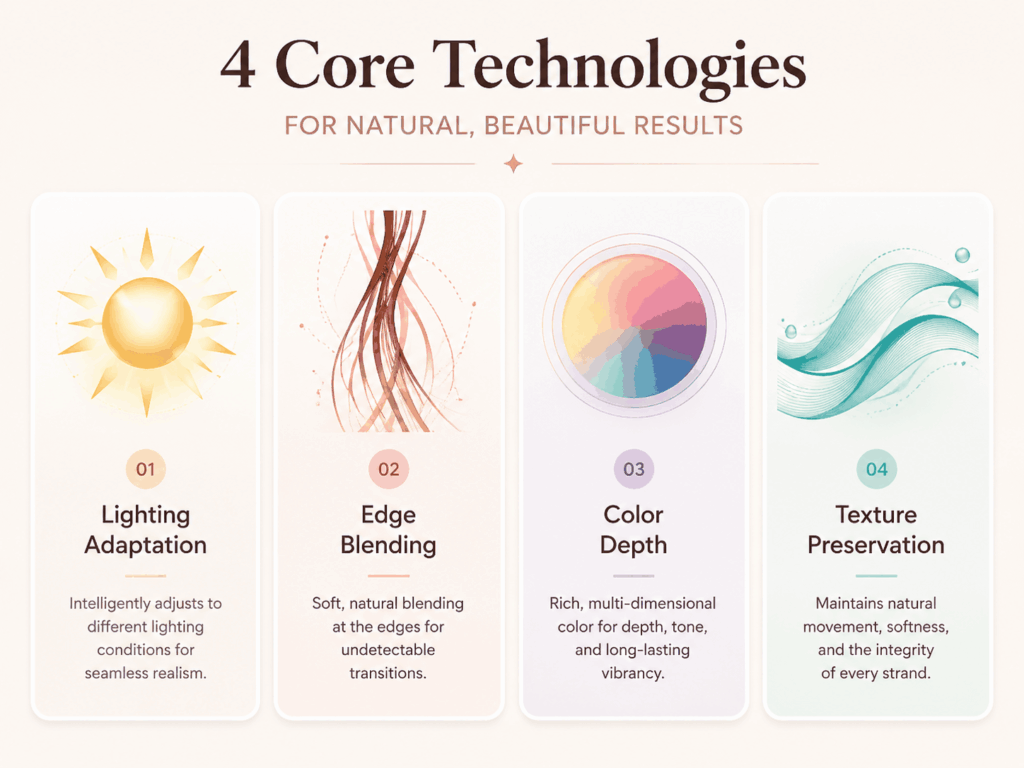
Our test set covered all four failure points: indoor warm light, harsh outdoor sun, a close-up portrait for edge detail, and a mix of straight and wavy hair textures. The results confirmed that the gap between a functional best virtual hair color try on and a basic overlay tool is significant — tools that handle all four dimensions produce results indistinguishable from actual salon dye jobs, while those that fail on even one dimension create the telltale "filtered" appearance.
Why AI Reconstruction Outperforms Color Overlay
There is a fundamental technical distinction that separates the top-performing tools in this category from the rest. Understanding this distinction is essential for anyone seriously evaluating a best virtual hair color try on — because it is the difference between an overlay and an actual reconstruction. Most virtual hair color apps work by detecting the hair region in a photograph and applying a translucent color layer on top — essentially the digital equivalent of holding a tinted sheet over a printed photo. This approach is computationally simple and fast, but it fails at every hard edge case: dark hair going light, curly textures, complex lighting.
The best virtual hair color try on tools take a fundamentally different approach. Instead of overlaying, they use AI reconstruction — analyzing the original image, understanding the hair's structure, lighting, and texture, then generating an entirely new image where the selected color is rendered as actual hair. This approach preserves highlights, lowlights, individual strand detail, and the way light interacts with the hair surface. The result is not a filtered photograph — it is a plausible preview of what the person would look like with that hair color under those specific lighting conditions.
This distinction matters most when the stakes are high — before a $300 salon appointment, before choosing a wedding hair color, or when transitioning from a lifelong natural shade to something dramatically different. In those moments, the difference between a true best virtual hair color try on and a basic overlay tool becomes the difference between an informed decision and an expensive surprise.
The 7 Best Virtual Hair Color Try On Tools, Ranked
PhotoGPT — The Most Realistic Results Across the Board
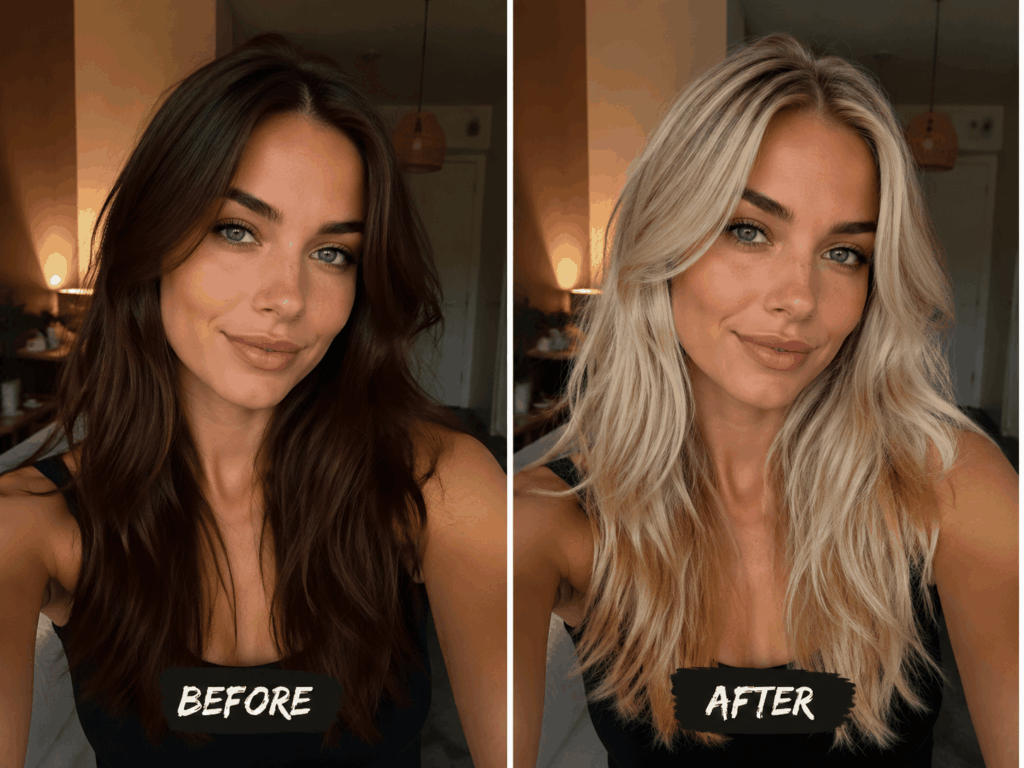
In our testing, a brunette reference photo was uploaded to AI Hair Color Changer, with "Platinum Blonde" selected from the preset palette. The result appeared in approximately eight seconds. The output showed realistic bleached blonde hair — not a color overlay. Individual strands near the face transitioned naturally from darker roots to lighter tips. Indoor warm lighting reflected accurately in the new shade. Even the subject's wavy texture remained intact, with the highlights and shadows expected from naturally light hair.
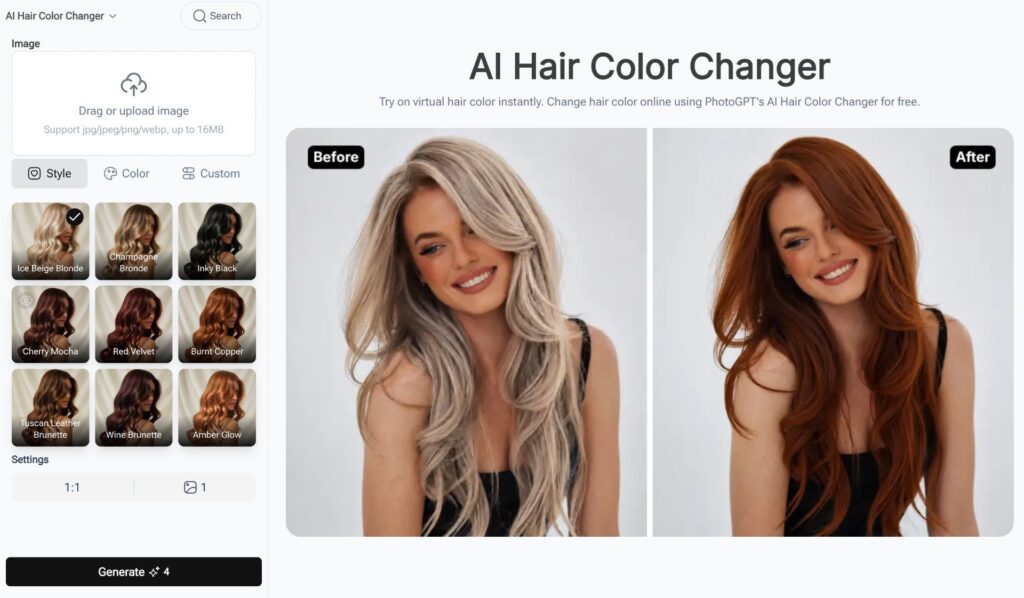
Rather than applying a color filter, the AI analyzes the photograph's lighting conditions, facial structure, and hair texture, then generates an entirely new image with the selected color rendered as actual hair. This reconstruction approach differs fundamentally from the overlay method used by most competing apps, which explains the difference in realism. The tool supports the full spectrum: natural shades (platinum, caramel, chestnut, jet black), fashion colors (pastel pink, electric blue, lavender), and gradient techniques including balayage and ombre.
There is no application to download. Users upload a photo through the web interface, select a color, and download the result. No account registration is required for the free tier.
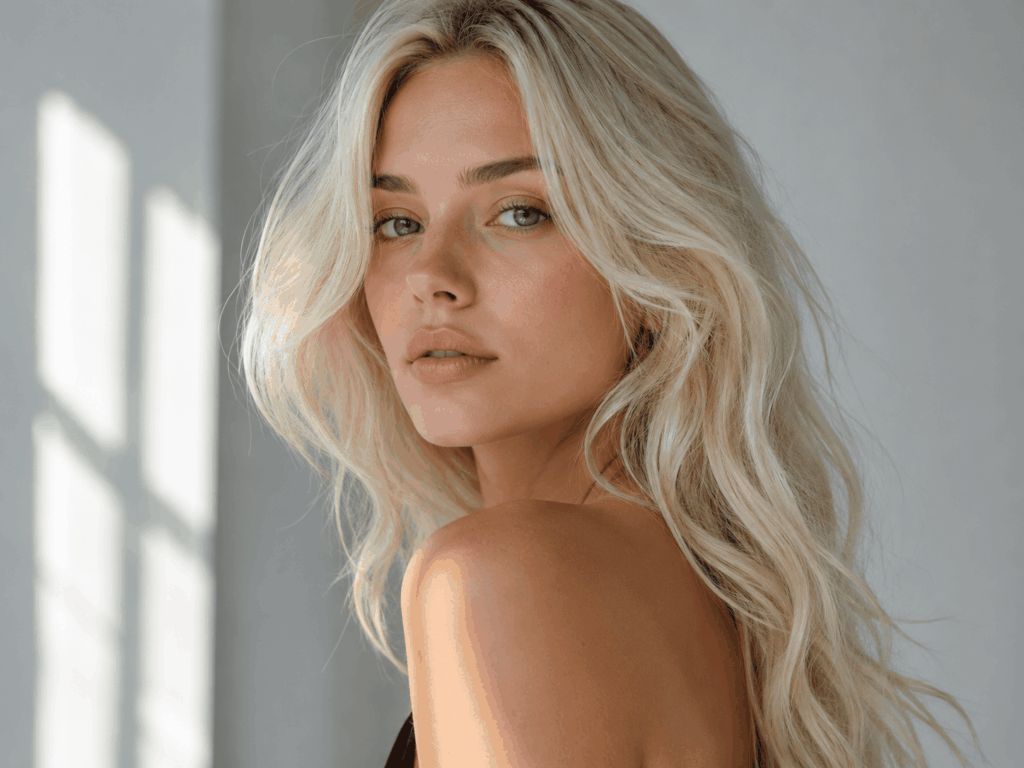
Pros: Photorealistic results across all hair textures tested. Handles lighting adaptation and edge blending naturally. Full color spectrum from natural to fantasy. No app download required. Works on desktop and mobile browsers. Cons: Requires internet connection. Free tier has usage limits.
This is the best virtual hair color try on for users who prioritize realism — whether testing a potential salon color or simply curious about how a different shade would look.
YouCam Makeup — Most Complete Makeup + Hair Suite
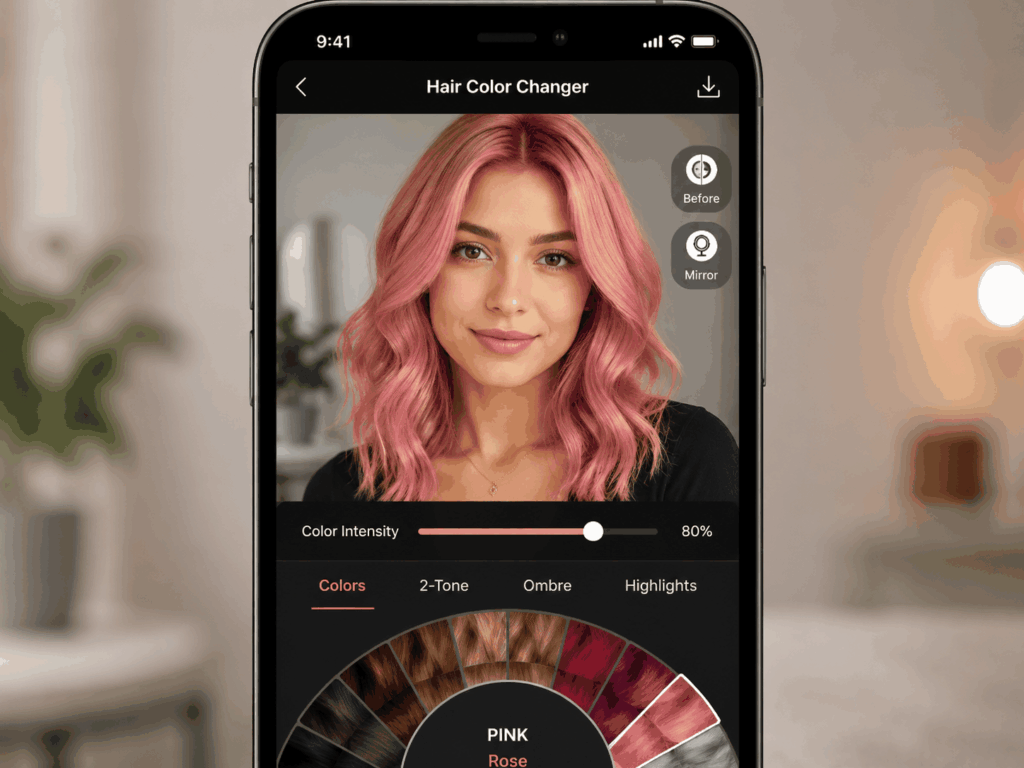
YouCam Makeup has been available for several years and its hair color tool benefits from a substantial training dataset. The color intensity slider is particularly useful — allowing users to dial a shade from subtle tint to full saturation while previewing the gradient. A real-time camera mode enables live color tracking as the user moves, though this is less accurate than the static photo upload mode. For users seeking a comprehensive beauty suite where hair color is one of many features, it represents a capable best virtual hair color try on within a broader ecosystem — though the interface clutter is a genuine trade-off.
Pros: Wide color library. Intensity control slider. Real-time AR mode. Cons: Cluttered interface. Color accuracy varies by shade. Best features locked behind subscription.
L'Oréal My Hair — Best for Salon-Ready Color Matching
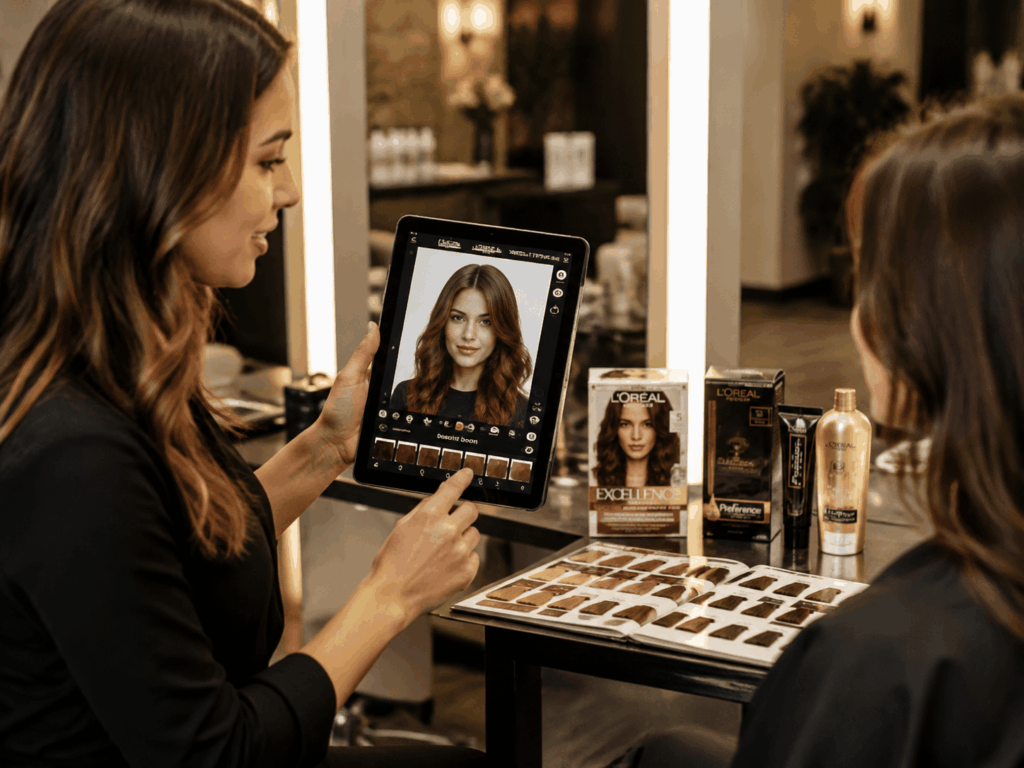
For users planning an actual salon visit, L'Oréal's app is purpose-built for this scenario. The colors map directly to real L'Oréal dye formulations, which means the preview can be taken to a stylist who will know precisely which product to use. The 3D rotation feature allows viewing the color from multiple angles — an important detail since hair color appears different from the front versus the side. As a best virtual hair color try on for salon preparation, its direct product mapping is a unique advantage over general-purpose tools. The trade-off is a limited palette — only L'Oréal's commercial shades, with no fantasy or bold colors available.
Pros: Salon-grade color accuracy. 3D multi-angle view. Maps to real dye products. Cons: Limited to L'Oréal shades. No fantasy/bold colors. Requires good lighting for accuracy.
FaceApp — Best for Bold, Dramatic Transformations
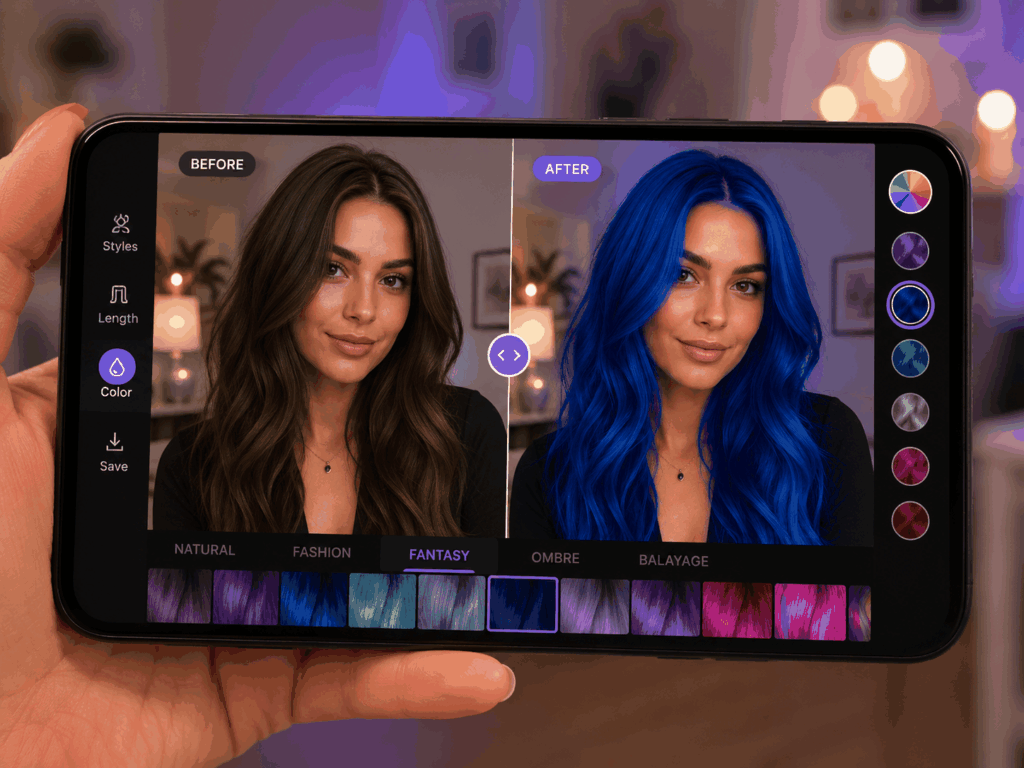
FaceApp's hair color tool prioritizes speed and dramatic effect over accuracy. Results appear almost instantly — faster than any other tool in this comparison. It covers bold colors (pink, blue, silver) that more conservative apps avoid. The trade-off is realism: under certain lighting, the color can appear painted on rather than natural. In any best virtual hair color try on comparison, FaceApp occupies the entertainment niche — useful for quick experimentation but not recommended for final salon decisions.
Pros: Instant results. Covers bold fantasy colors other apps avoid. Fun and easy. Cons: Unnatural under certain lighting. Less suitable for subtle/natural shades.
ModiFace — Best for Subtle Tone Differentiation
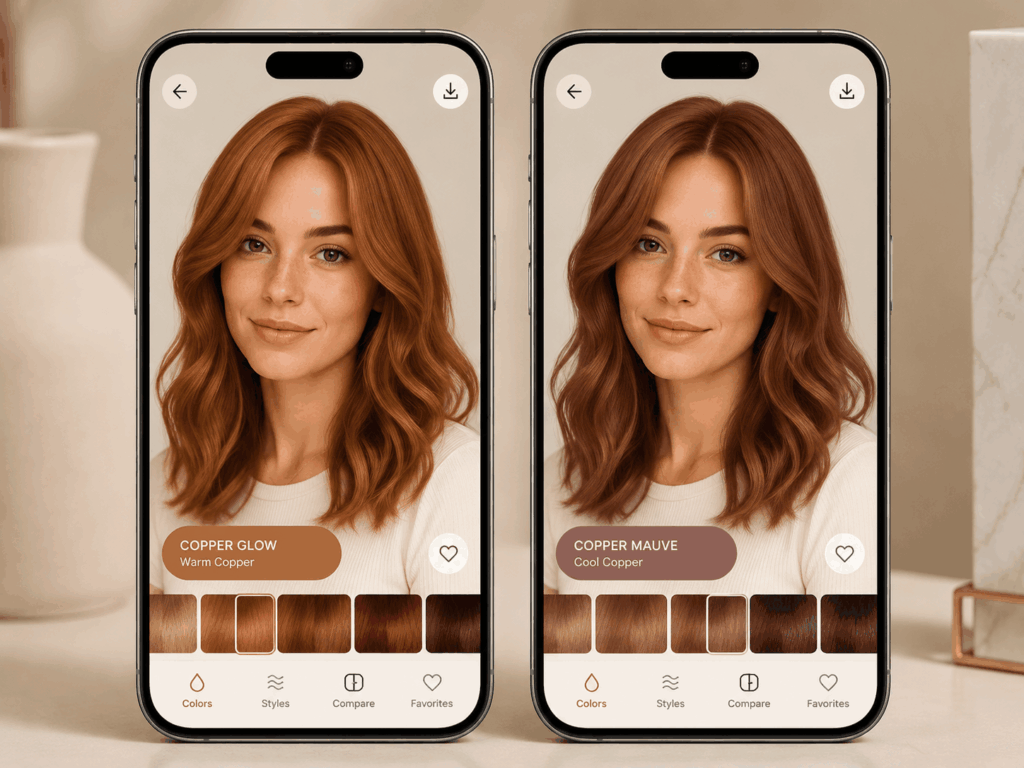
ModiFace powers the virtual try-on tools for multiple beauty brands, and its color accuracy reflects this professional pedigree. The app distinguishes warm copper from cool auburn with precision — precisely the subtle distinctions that determine whether a hair color decision succeeds or disappoints. For users whose best virtual hair color try on need is choosing between two nearly identical natural shades, ModiFace delivers the nuanced accuracy that more entertainment-focused tools cannot match. It sacrifices flashiness for precision, and for tone-critical decisions, that trade-off makes sense.
Pros: Excellent warm/cool tone differentiation. Brand partnerships for real product matching. Cons: Limited hair color range. Outdated interface. Primarily focused on natural shades.
The Right Hairstyles (HairHunt) — Best for Haircut + Color Combo
HairHunt combines hair color try-on with hairstyle changes, making it the best virtual hair color try on for users considering a full transformation — cut and color at once. For anyone walking into a salon seeking a complete change, previewing both elements together is the most practical use of a best virtual hair color try on tool. The 360-degree video preview on the paid tier is useful for observing how color appears from multiple angles — an important consideration when evaluating any best virtual hair color try on, as color renderings can vary significantly between static previews and real-world movement. The free tier offers unlimited use but limits you to nine preset colors.
Pros: Combines hair color and style changes. 360-degree video preview (paid). Unlimited free use. Cons: Free tier limited to 9 colors. Advanced features behind paywall.
PhotoDirector — Best for Advanced DIY Color Editing
CyberLink's PhotoDirector includes a hair color tool as part of a broader photo editing suite. The manual adjustment tools — hue, saturation, and brightness sliders — offer more control than any automated tool in this comparison. If a precise hex code is needed for a specific shade, PhotoDirector delivers it accurately. As a best virtual hair color try on for users who want total creative control rather than one-click convenience, it fills a specific niche that automated tools do not serve. The learning curve is steeper than the other options here, and the automated mode produces less natural results than tools built specifically for hair color transformation.
Pros: Advanced manual color controls. Precise hex-code matching. Part of full editing suite. Cons: Steep learning curve. Auto mode less realistic. Full features require subscription.
Virtual Hair Color Try On Comparison Table — Best Options at a Glance
| Tool | Realism | Color Range | Free Tier | Best For |
| PhotoGPT | ✅ Excellent | Natural + fantasy | Yes | Realistic results, all hair types |
| YouCam Makeup | ✅ Good | Extensive | Yes | Makeup + hair combo |
| L'Oréal My Hair | ✅ Excellent | L'Oréal only | Yes | Salon planning |
| FaceApp | 🔸 Moderate | Natural + bold | Yes | Quick dramatic changes |
| ModiFace | ✅ Very Good | Natural only | Yes | Subtle tone matching |
| HairHunt | 🔸 Good | 9 colors free | Yes | Haircut + color combo |
| PhotoDirector | 🔸 Variable | Full manual | Trial | Precise color control |
If realistic results on diverse hair types and lighting conditions matter most, the AI-powered reconstruction approach available through AI Hair Color Changer makes it the best virtual hair color try on in this lineup. The reconstruction method produces results that look like actual hair color, not an overlay — and this technical distinction is what separates the top tier of best virtual hair color try on tools from everything else on the market.
Tips for Getting the Best Results from a Virtual Hair Color Try On
Even the most advanced best virtual hair color try on tool produces suboptimal results when supplied with a poor-quality input photograph. After testing hundreds of color previews across these seven tools, several patterns emerged. The single most important factor in getting an accurate result from any best virtual hair color try on is the quality of the input photograph — lighting, angle, and hair visibility determine the ceiling of what any AI can produce.
Use a Well-Lit Selfie with Full Hair Visible
Backlighting, heavy shadows, and hats interfere with the AI's ability to detect hair boundaries. Facing a window during daylight hours produces the cleanest hair texture for accurate analysis. The quality of the input photograph is the single most important factor in getting a realistic output from any best virtual hair color try on tool — even the most advanced AI cannot compensate for a poorly lit source image.
Take the Photo at Eye Level with Hair Down
Angles distort how hair frames the face. A straight-on selfie produces the most accurate color preview. Position hair forward over the shoulders so the full length is visible to the AI. For anyone using a best virtual hair color try on to make a real salon decision, taking the time to get the input photo right — good lighting, eye level, hair visible — is the difference between a useful preview and a misleading one.
Test the Same Color Across Multiple Tools
No single app is perfect for every combination of hair texture, skin tone, and lighting. Running the same selfie through two or three different best virtual hair color try on tools gives you a consensus — if multiple quality tools agree it looks good, it probably will.
Compare Against the Current Color
Save the original photograph side by side with each preview. What registers as a subtle change during the selection process can appear drastic once the images are placed next to each other. This side-by-side comparison habit is what separates casual experimentation from informed decision-making when using any best virtual hair color try on — the difference between a shade that simply looks pleasant and one that genuinely suits the individual becomes clear only through direct comparison.
FAQs About Best Virtual Hair Color Try On
What is the best virtual hair color try on tool overall?
AI Hair Color Changer produced the most realistic results across all hair types and lighting conditions in testing. For salon planning specifically, L'Oréal My Hair is equally effective within its shade range — making it the preferred best virtual hair color try on when the goal is matching an exact commercial dye formulation.
Are virtual hair color try on tools free?
Most offer free tiers with reasonable usage limits. The leading best virtual hair color try on options — including AI Hair Color Changer, YouCam Makeup, FaceApp, L'Oréal, and ModiFace — all provide functional free versions. Premium features such as higher resolution output or unlimited usage require payment on some platforms.
Do virtual hair color try on apps work on dark hair?
The quality varies dramatically. Many apps struggle to show light colors on dark hair because they use overlay techniques that fail on dark backgrounds. A true best virtual hair color try on tool for dark-to-light transformations requires AI-powered reconstruction, not simple color overlays — the AI must understand what the hair would look like with a fundamentally different pigment level.
Can I try fantasy colors like blue or pink?
FaceApp and AI Hair Color Changer both offer bold, non-natural color options. For users specifically seeking a best virtual hair color try on for fantasy shades, these two tools provide the widest selection of vibrant colors. L'Oréal and ModiFace focus on salon-realistic shades and do not include fantasy options.
How accurate are virtual hair color try on results?
Accuracy varies by tool and photo quality. The most reliable best virtual hair color try on tools — those using AI reconstruction rather than overlay methods — produce results close to what would be seen in a mirror after an actual dye application. Other tools are less consistent, useful for initial exploration but not recommended for final decisions.
Which Virtual Hair Color Try On Should You Use?
After testing seven tools on multiple selfies across different lighting conditions and hair textures, the recommendations split cleanly by use case.
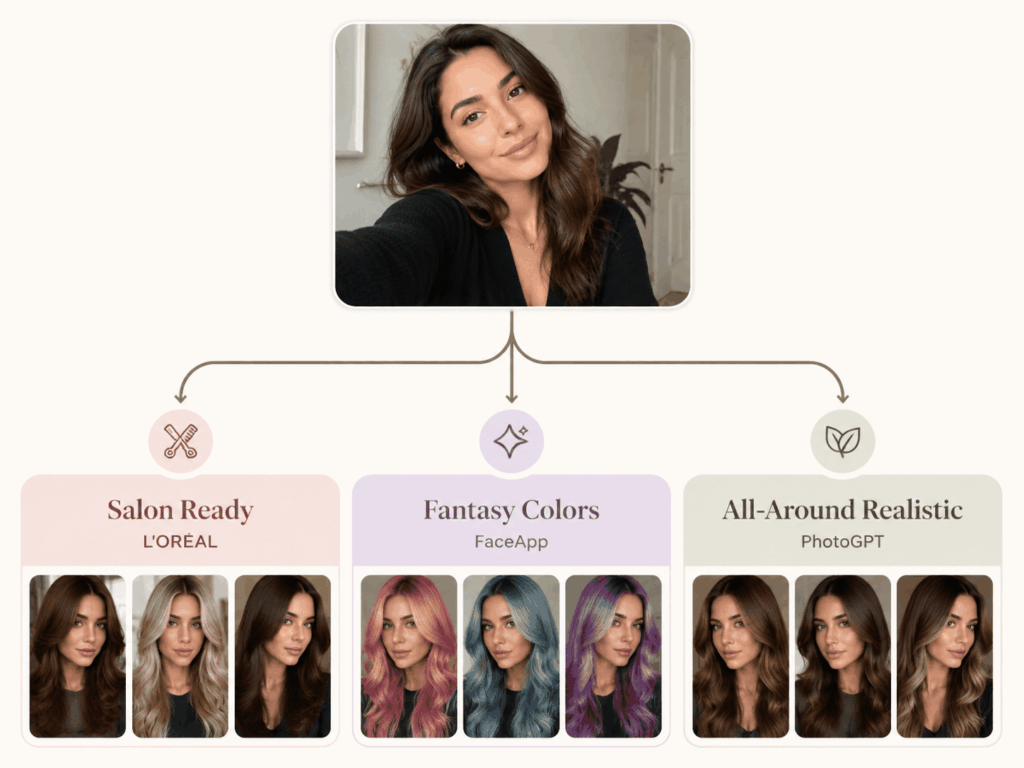
If realistic preview quality is the primary criterion — whether evaluating natural shades or bold colors, across any hair type and lighting condition — AI Hair Color Changer is the best virtual hair color try on we tested. The AI reconstruction approach produces results indistinguishable from actual salon results, and handles the edge cases — dark-to-light transformations, curly textures, complex lighting — that cause other tools to fail. When the outcome of a best virtual hair color try on determines whether an expensive salon appointment ends in satisfaction or regret, choosing a tool with reconstruction rather than overlay technology matters.
If you are planning a salon visit and want to present the stylist with an exact shade reference, L'Oréal My Hair provides product-matched precision. For a quick dramatic preview suitable for social media, FaceApp delivers instant results. For users who require granular control over the precise shade, PhotoDirector's manual tools offer the most flexibility.
The technology supporting these tools has matured to a point where a best virtual hair color try on can reliably answer the question "will this shade suit me?" before any commitment is made. That question once required a stylist consultation, a leap of faith, and occasionally a lengthy and expensive correction process. It now requires a well-lit selfie and approximately ten seconds.
Try our AI Hair Color Changer for free. Upload a clear selfie, select the shade you have been considering, and preview the result. No sign-up, no download, no commitment — the preview takes seconds.