

If you are running an e-commerce business, selling items on Amazon, or launching a new Shopify store, you have likely spent countless hours searching for how to take product photos that actually look professional. In the highly competitive world of online retail, your product images are the frontline of your sales strategy. When a customer lands on your page, they cannot touch, feel, or test your product. All they have is the visual information you provide.
Therefore, mastering how to take product photos is not just an artistic endeavor; it is a critical business survival skill. Poor lighting, distracting backgrounds, and low-resolution imagery instantly destroy brand trust. On the other hand, crisp, beautifully staged, and well-lit images can dramatically increase your conversion rates, lower your bounce rates, and justify premium pricing.
In this comprehensive, 2000-word guide, we are going to dive deep into the evolution of e-commerce photography. We will explore why traditional methods are failing modern entrepreneurs, the hidden costs of doing it yourself, and most importantly, how groundbreaking artificial intelligence is completely revolutionizing the way we create visual content. By the end of this article, you will have a clear, actionable roadmap on how to take product photos efficiently, cost-effectively, and beautifully.
The High Cost of Traditional Product Photography
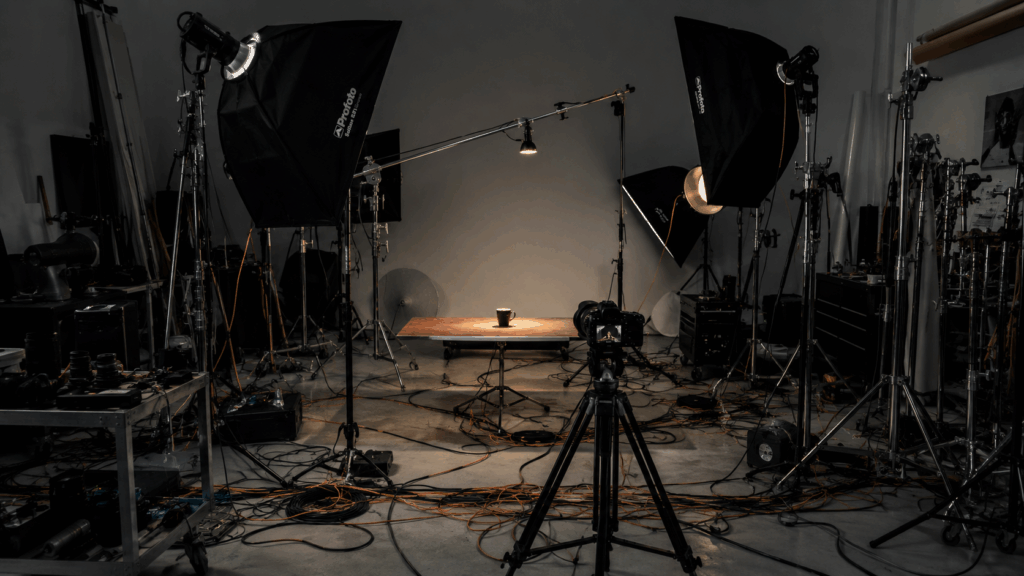
For decades, learning how to take product photos meant one thing: investing heavily in professional equipment and studio space. If you asked any seasoned photographer for advice, they would hand you a shopping list that could easily bankrupt a small startup.
To understand the magnitude of the problem, let's break down the traditional requirements for capturing high-quality commercial images.
1. The Expensive Hardware Trap
First, you need a camera. Not just any camera, but a full-frame DSLR or mirrorless system capable of capturing intricate details. Then, you need macro lenses to shoot close-ups of textures, jewelry, or small electronic components. But a camera is useless without proper lighting. The core principle of how to take product photos relies on manipulating light. You would need continuous LED lights, strobe flashes, softboxes to diffuse the harshness, and reflectors to bounce light back into the shadows. The initial investment just for basic gear can easily exceed $3,000.
2. The Space and Logistics Nightmare
Even if you can afford the gear, you need physical space. A tabletop studio might sound small, but once you add C-stands, light modifiers, and seamless paper background rolls, you quickly lose half your office. Furthermore, setting up this environment is exhausting. If you want to know how to take product photos efficiently, you will quickly realize that changing a setup from a "dark moody vibe" for men's cologne to a "bright and airy morning vibe" for skincare takes hours of physically moving equipment and recalibrating camera settings.
3. The Unpredictable Nature of Physical Props
If you want lifestyle images—which are proven to convert better than plain white backgrounds—you need props. Buying fresh flowers, marble slabs, wooden boards, and decorative items adds a massive hidden cost to your production budget. When small business owners research how to take product photos, they rarely factor in the time spent driving to craft stores to buy matching colored ribbons or acrylic blocks.
The DIY Route: Why So Many Sellers Fail
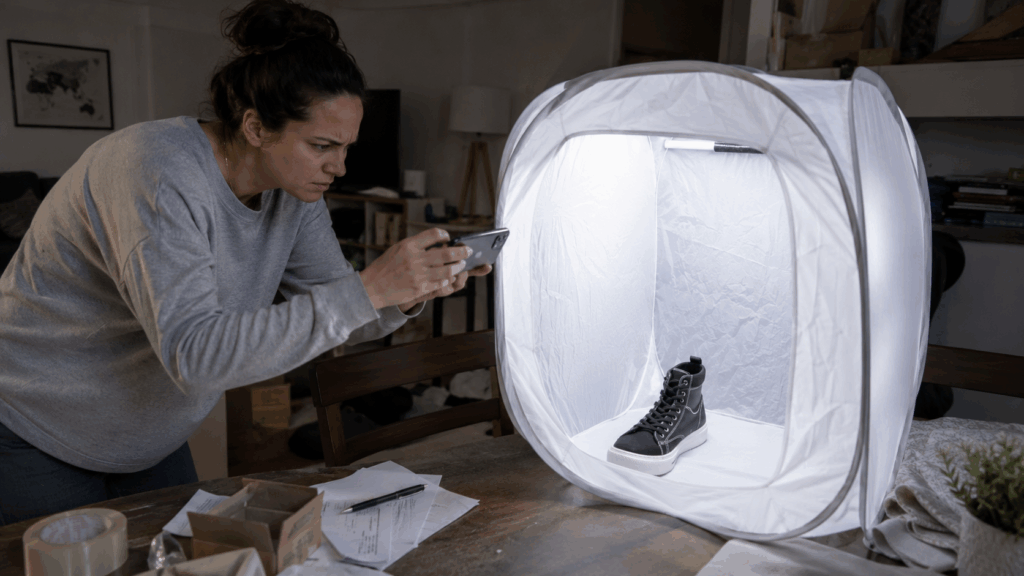
Realizing the extreme costs of professional studio setups, many bootstrapped entrepreneurs turn to YouTube tutorials to figure out how to take product photos on a budget. This usually leads to the infamous "DIY Lightbox" approach.
Sellers will buy a $30 pop-up light tent from Amazon, place it on their dining table, and use their smartphone. While smartphone cameras have become incredibly advanced, hardware alone cannot compensate for a lack of foundational photography skills.
The biggest struggle with how to take product photos at home is inconsistency. You might get a lucky shot on a sunny Tuesday afternoon, but when you need to shoot a new product line on a rainy Thursday, the natural light is gone, your artificial lights cast weird yellow hues, and suddenly your website looks like a chaotic flea market rather than a cohesive brand. Furthermore, the post-production process is agonizing. Sellers spend hours in Photoshop trying to manually erase dust, correct white balance, and paint out harsh shadows. It is a massive drain on resources that could be better spent on marketing or product development.
Outsourcing: The Expensive Bottleneck
If doing it yourself is too hard, the logical next step is hiring a professional. Many brands decide to outsource how to take product photos to freelance photographers or commercial agencies.
While the results are undeniably gorgeous, this route introduces two massive roadblocks for agile e-commerce businesses: cost and time.
A standard commercial photographer might charge anywhere from $30 to $150 per image. If you have a catalog of 50 products and need 4 angles for each, you are looking at an invoice of thousands of dollars. The sheer cost of how to take product photos through an agency makes it impossible to rapidly test new products.
Additionally, the turnaround time is usually two to four weeks. You have to pack your products, ship them to the studio, wait for the shoot, wait for the retoucher, and go through revision cycles. In today's fast-paced TikTok and Instagram era, waiting a month for visual assets means missing out on vital trends and revenue opportunities.
The AI Revolution: A Paradigm Shift in E-commerce Imagery

This brings us to the most exciting development in the history of commercial imagery. The approach to how to take product photos has been fundamentally disrupted by the advent of generative artificial intelligence.
We are no longer bound by the laws of physics, the constraints of our living room lighting, or the budget requirements of physical prop styling. Artificial intelligence is completely redefining how to take product photos by shifting the creative process from a physical photo shoot to a digital generation workflow.
Imagine being able to shoot a product on your kitchen counter, and within seconds, having it perfectly lit and placed on a sun-drenched Mediterranean balcony, or resting elegantly on a block of pure black obsidian. This is no longer science fiction; it is the daily reality for thousands of top-tier sellers who have adopted AI.
At the forefront of this revolution is PhotoGPT. It provides the ultimate solution for how to take product photos without the headache, the cost, or the waiting time. By leveraging advanced machine learning models trained on millions of high-converting commercial images, PhotoGPT allows anyone, regardless of their technical background, to produce studio-quality visual assets on demand.
Step-by-Step Guide: Generating Masterpieces with PhotoGPT
If you are wondering how to take product photos using this new AI technology, you will be thrilled to know that the learning curve is practically non-existent. You do not need to know what an aperture is, and you do not need to know how to balance strobe lights.
Here is the exact workflow you can use today to transform your visual content strategy using the AI Product Photography feature.
Step 1: Capture the Base Image (Keep it Simple)
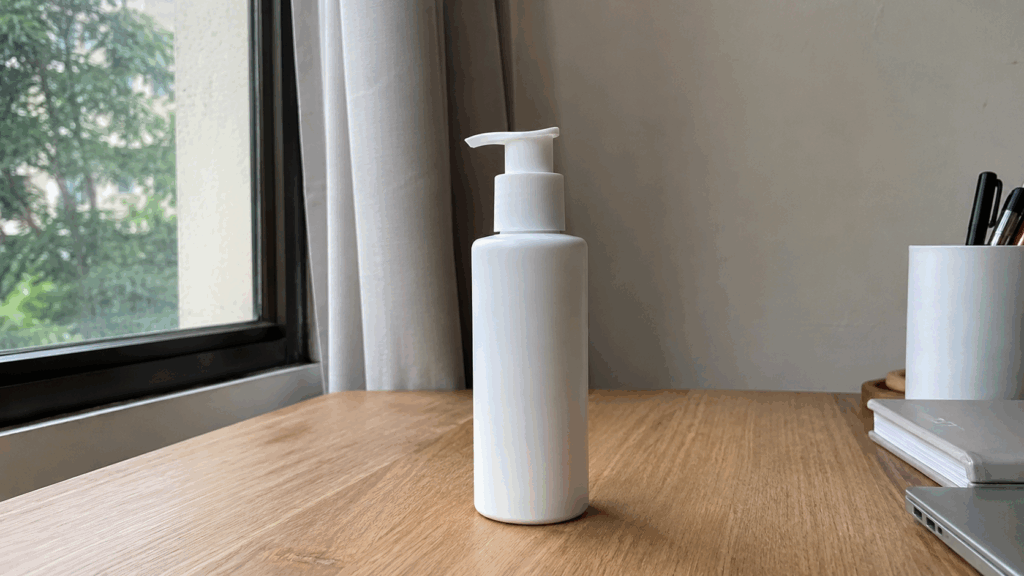
The first step in how to take product photos with AI is incredibly straightforward. You just need a clear reference shot of your product. You do not need a fancy studio; just place your item on a table and ensure it is in focus. Use your smartphone to snap a picture. Make sure the angle represents how you want the product to be viewed (e.g., straight on, slightly top-down). Ensure there is decent, even lighting so the AI can read the textures, labels, and colors accurately.
Step 2: Upload to PhotoGPT
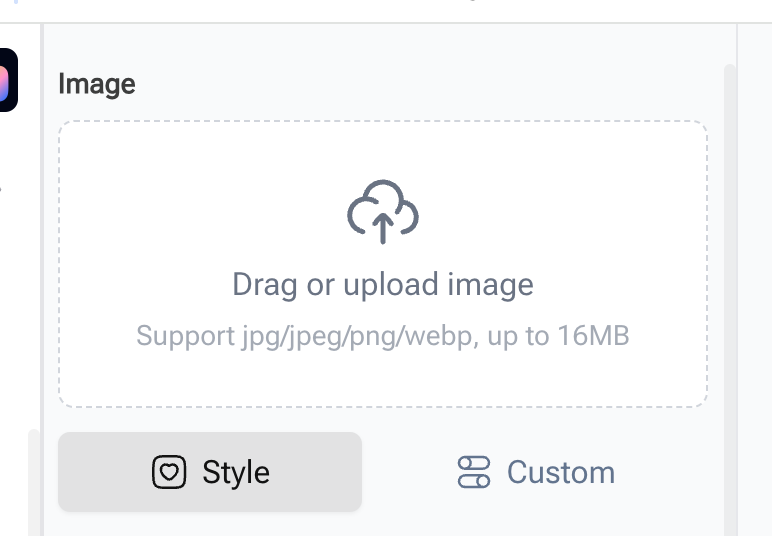
Once you have your base image, navigate to the PhotoGPT platform. Simply upload your raw smartphone photo. Unlike older software that forces you to manually trace clipping paths or relies on flawed auto-background removal tools that ruin the edges of your product, PhotoGPT’s interface is designed for seamless integration. The AI intelligently analyzes your original image, recognizing the contours, the inherent lighting, and the spatial positioning of your item, preparing it for a complete contextual transformation.
Step 3: Choose Your Setting and Prompts
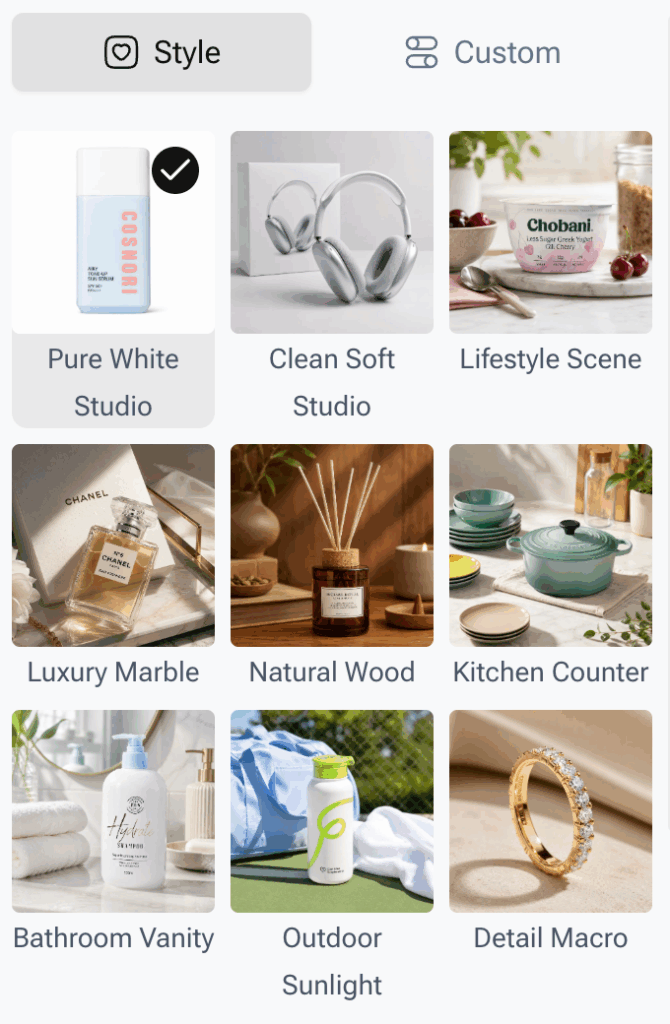
This is where the magic happens and the secret to how to take product photos in the modern era is revealed. Instead of building physical sets, you simply tell the AI what you want. You can use text prompts to describe the exact scene.
Do you want your organic skincare serum placed on a smooth river stone surrounded by fresh fern leaves and morning dew? Just type it in. Do you need a minimalist, ultra-modern concrete background for a tech gadget? The AI understands. If you want to bypass typing, you can simply click on expertly crafted style presets designed specifically for e-commerce aesthetics. If you want to streamline your workflow entirely, you can directly Generate product photos with AI and watch the system instantly draft multiple breathtaking variations.
Step 4: Generate, Review, and Export
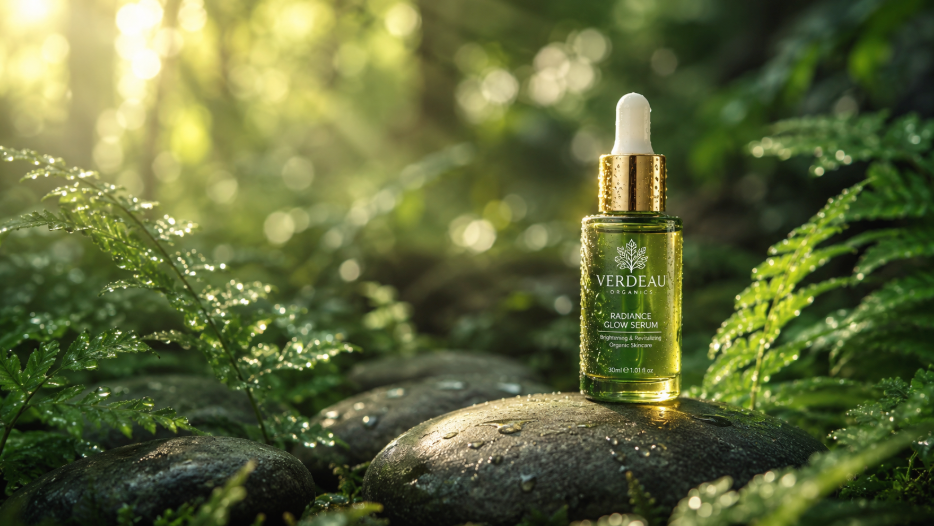
Hit the generate button. In less time than it takes to physically move a single lightstand in a real studio, the AI will render your product perfectly integrated into the new environment. It intelligently calculates the direction of the virtual light, creating realistic shadows and reflections that match the new scene perfectly.
Review the options, pick the one that fits your brand identity, and export it in ultra-high resolution. You now have a campaign-ready image that looks like it cost $500 to produce, generated in mere minutes.
Best Practices for Maximizing E-commerce Conversions
Now that you know the mechanical steps, let's discuss strategy. To truly elevate how to take product photos, you must align your new AI capabilities with proven marketing psychology.
1. Maintain Brand Consistency Across Your Catalog
When you have the power to generate any background imaginable, it is tempting to go wild and put your products in space, underwater, and on mountain tops. However, a successful strategy for how to take product photos demands consistency. Your Shopify store or Amazon storefront should look like a cohesive gallery. Choose one or two core lighting styles and background themes, and apply them across all your SKUs. This consistency builds brand authority and makes your store look highly professional.
2. Leverage A/B Testing for Maximum ROI
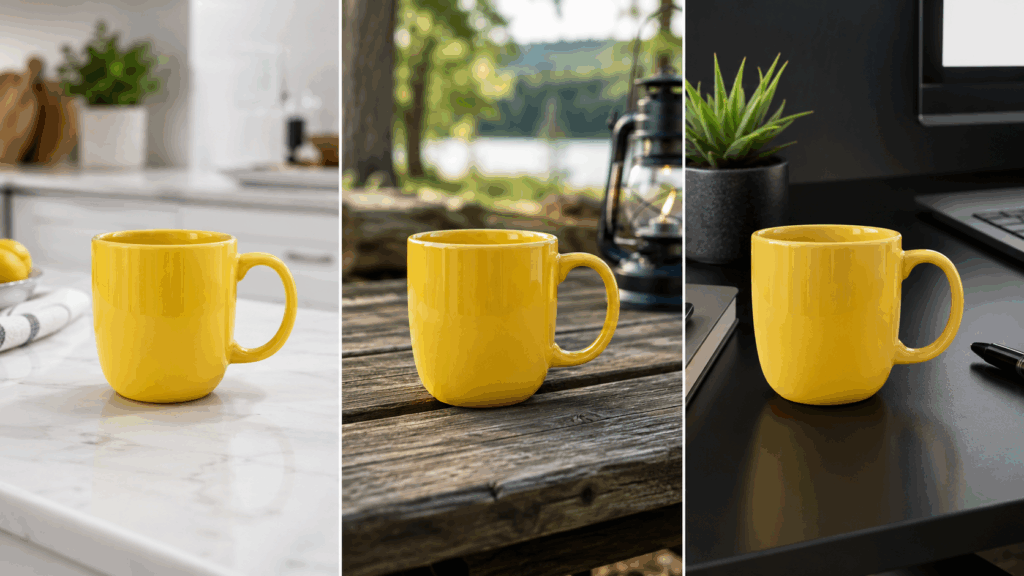
Because AI generation is so incredibly fast and affordable, you can finally run visual A/B tests. Produce one image of your coffee mug on a rustic wooden table, and another on a sleek modern kitchen counter. Run Facebook or Instagram ads with both images and see which one yields a lower cost-per-click. AI allows you to be data-driven with your visual content, which was previously impossible due to budget constraints.
3. Create Seasonal Campaigns Instantly
With traditional photography, shooting a Christmas campaign in July is a logistical nightmare. With AI, creating holiday-themed imagery is effortless. You can instantly place your products surrounded by snow, pinecones, or festive lights, allowing you to launch seasonal marketing campaigns weeks ahead of your competitors.
Frequently Asked Questions (FAQ)
Q: Will the AI change the shape or text on my product?
A: No. The most vital rule of how to take product photos is preserving the integrity of the product. PhotoGPT is specifically engineered to protect your original item's branding, text, and structure. The AI generates the environment, lighting, and shadows around your product without hallucinating changes to the item itself.
Q: Do I need a high-end camera for the initial upload?
A: Not at all. A modern smartphone camera (like an iPhone 12 or newer) provides more than enough resolution and detail. As long as the product is in focus and well-lit, the AI can work its magic. This completely democratizes the process and helps small businesses simplify how to take product photos.
Q: Can I use these images for commercial purposes, like Facebook Ads and billboards?
A: Yes. The images generated are high-resolution and fully cleared for your commercial use. They are perfect for website listings, paid social media advertising, email marketing banners, and even physical print materials.
Conclusion: Embrace the Future of Visual Content
The journey of how to take product photos has come a long, long way. We have transitioned from the darkroom to the digital studio, and now, we are stepping into the limitless realm of artificial intelligence.
As an e-commerce brand, your time and capital are your most precious resources. Spending days wrestling with lighting tents, or spending thousands of dollars on agency fees, is no longer the smartest way to operate. The competitive advantage goes to those who can iterate quickly, launch products faster, and maintain a stunning visual presence without burning through their budget.
You have the opportunity to completely master how to take product photos right from your laptop. By integrating PhotoGPT's AI Product Photography tool into your daily operations, you are not just saving time; you are unlocking a virtually infinite creative studio that works at the speed of your imagination. Stop letting subpar photography hold your business back. Take out your phone, snap a picture of your best-selling product, and let artificial intelligence show you just how beautiful your brand can be.