A proper GPT Image 2 review should go beyond a feature list. For this evaluation, the model was tested in real-world marketing and content workflows, using difficult prompts, commercial design tasks, and failure scenarios to measure quality, consistency, and workflow fit.
The result is a practical GPT Image 2 review based on testing, not announcement-page hype, focused on whether the model earns a place in a production pipeline.
What Is GPT Image 2?
GPT Image 2 is OpenAI's second-generation image model, released April 21, 2026. Unlike DALL-E 3 — which used a two-stage pipeline of text translation then diffusion — this model shares its representation space between image understanding and image generation. In plain terms: the model that reads your prompt is the same model that draws the picture.
That architectural shift matters more than the announcement slides suggest. Diffusion models guess pixel patterns statistically. GPT Image 2 reasons about what the image should contain before it draws anything. That's why text rendering improved so dramatically, and why complex multi-element prompts produce more coherent results.
The model officially ranks #1 on the Arena.AI image leaderboard with an Elo score of 1512 — a meaningful gap above its nearest competitors. Sam Altman described the upgrade as comparable to the jump from GPT-3 to GPT-5.
How We Tested It
This section of the GPT Image 2 review covers our testing methodology. We used GPT Image 2 through PhotoGPT, which provides free access with no sign-up required. Our test battery covered five scenarios we run against every image tool:
- Text rendering — multilingual poster with English + Chinese body text
- Photorealism — product shot against a clean studio background
- Complex scene composition — 4+ elements with spatial relationships specified
- Natural language editing — modifying one element without touching others
- Consistency — generating the same character across three different poses
We ran 30+ prompts over two testing sessions. Results in this GPT Image 2 review are based on actual outputs, not cherry-picked best cases.
Core Features: What Actually Works
This part of the GPT Image 2 review examines the features that matter for commercial use.
Text rendering
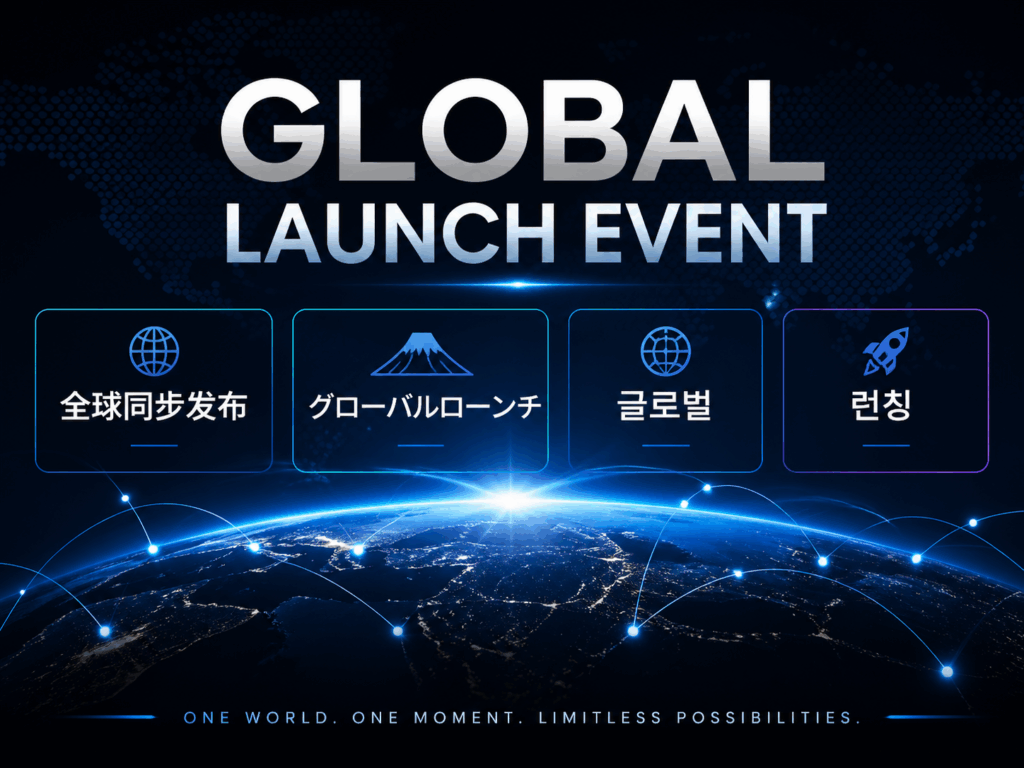
This is the most talked-about upgrade in any GPT Image 2 review, and the hype is real. We generated bilingual posters (English headline + Chinese body copy), Arabic-script infographics, and a Korean event flyer. Character accuracy across all three sessions: around 97–99%.
Previous models we tested regularly mangled CJK characters, dropped letters from long English phrases, or produced plausible-looking text that was entirely wrong when you read it. The new model doesn't do that. Text in generated images is readable and accurate.
For marketing teams working across multiple markets, this alone changes what's possible. Producing a localized ad creative no longer requires a separate typography step.

Photorealistic image quality
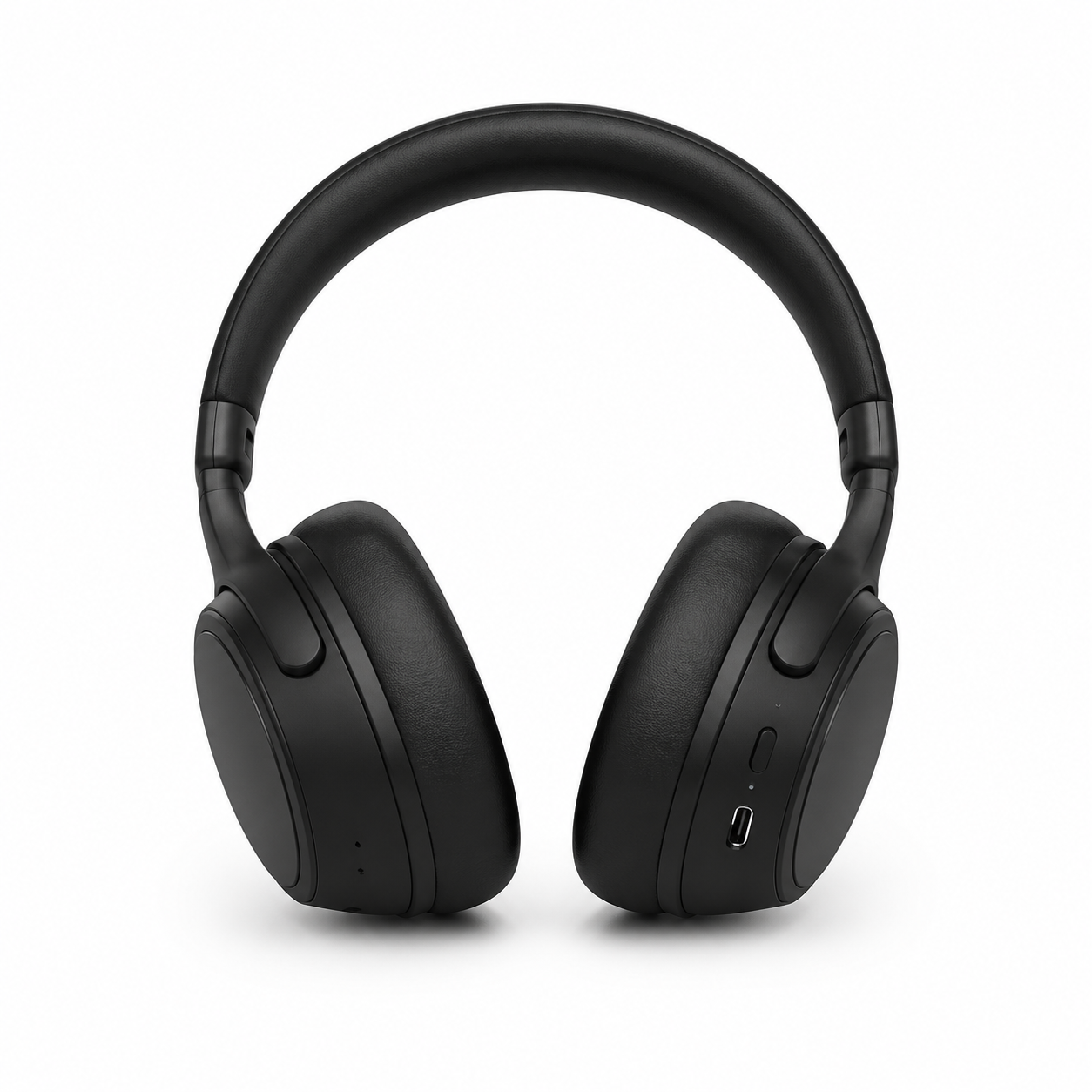
Color fidelity is noticeably more neutral than earlier models, which had a tendency to oversaturate warm tones. Studio product shots came out clean. Portrait lighting held up well across different skin tones.
One area worth noting: the model doesn't replicate specific brand logos reliably. If your use case requires exact logo reproduction, you'll still need post-processing. This is a known limitation across all current generative models — but it's worth knowing before you plan a workflow around it.
Reasoning-based generation
GPT Image 2 handles instructions that have logical layers to them. We prompted: "A workspace photo where the laptop shows a dashboard, the coffee cup is half full, and there's a sticky note on the monitor that reads 'Launch day.'" The model got all four elements right in the same frame. Prior tools typically dropped one or two.
This reasoning integration is what separates this model from competitors that are just good at aesthetics. It follows instructions, not just stylistic patterns.

Natural language image editing
Instead of drawing a mask and specifying regions manually, you describe the change: "Change the jacket color to navy blue" or "Remove the background and add a soft gradient." We found this worked reliably for single-element changes. Multi-element edits in one pass occasionally required a follow-up prompt to fully apply.
Resolution and output
Standard output is 1K, which is the default setting on PhotoGPT. Generation time averages 30–45 seconds at high quality settings, slower than lightweight models like FLUX, but the trade-off is worth factoring in for batch production.
How We Evaluate: Selection Criteria
This GPT Image 2 review follows the same evaluation framework we use for all image generation tools. When we test image generation tools for commercial use, we weight five factors:
| Criteria | Why it matters |
| Text rendering accuracy | Poster and ad content requires readable copy |
| Photorealism | Product shoots, lifestyle content, hero images |
| Prompt adherence on complex inputs | Multi-element compositions for campaigns |
| Editing precision | Iteration speed in real workflows |
| Free or low-cost access | Testing before committing budget |
GPT Image 2 performs well on four of five. Editing precision for complex multi-element changes is the one area with obvious room to improve.
GPT Image 2 vs. Nano Banana 2: How They Stack Up
A key part of this GPT Image 2 review is the direct comparison with Nano Banana 2. Nano Banana 2 is Google's flagship image model and currently the most-used alternative to GPT Image 2 in production pipelines. We ran the same prompts through both to see where each model wins and loses.
| Feature | Nano Banana 2 | GPT Image 2 |
| Text rendering accuracy | ~91% | ~97–99% |
| Generation speed (1K) | ~0.85s | ~30–45s |
| Cost per image (1K high quality) | ~$0.039 | ~$0.211 |
| Default output resolution | 4K | 1K |
| Multi-image generation (per call) | Up to 5 | Up to 8 |
| Character consistency | Up to 5 characters | Up to 8 characters |
| Built-in reasoning | No | Yes |
| Aspect ratio options | 14 native ratios including 16:9 | 3: 1:1, 3:2, 2:3 |
| Native 16:9 support | Yes | No (closest: 3:2) |
| Access options | ChatGPT Plus / PhotoGPT | ChatGPT Plus / PhotoGPT |
Text rendering is where GPT Image 2 pulls ahead. At 97–99% accuracy across multiple languages, it handles complex multilingual layouts that Nano Banana 2 (~91%) drops. If your content requires accurate text — especially in mixed-language posters or UI mockups — the accuracy gap is worth the cost difference.
Nano Banana 2 wins on speed and price. At roughly $0.039 per 1K image versus GPT Image 2's ~$0.211, it's about five times cheaper and generates roughly five times faster. For high-volume social media production or quick A/B testing, that's a real operational advantage.
The aspect ratio difference matters more than it sounds. Nano Banana 2 natively supports 16:9, 9:16, 21:9, and 14 other formats. GPT Image 2 tops out at 1:1, 3:2, and 2:3. If you're producing 16:9 video thumbnails or Instagram Stories natively, Nano Banana 2 avoids the cropping and upscaling step.
Our use-case breakdown:
- GPT Image 2 — text-heavy ad creatives, multilingual campaigns, UI mockups, anything where accuracy beats volume
- Nano Banana 2 — batch social content, product lifestyle shots, rapid prototyping, budget-sensitive pipelines
The honest answer is that a mature workflow uses both. Run quick drafts and A/B variants through Nano Banana 2 (~$0.039/shot), then push final approved layouts through GPT Image 2 for text precision. The cost difference only hurts if you're generating thousands of images where text accuracy doesn't move the needle.
Real Use Cases We Tested
Based on this GPT Image 2 review testing, here are the real-world use cases that matter most for commercial teams.
Marketing and ad creatives
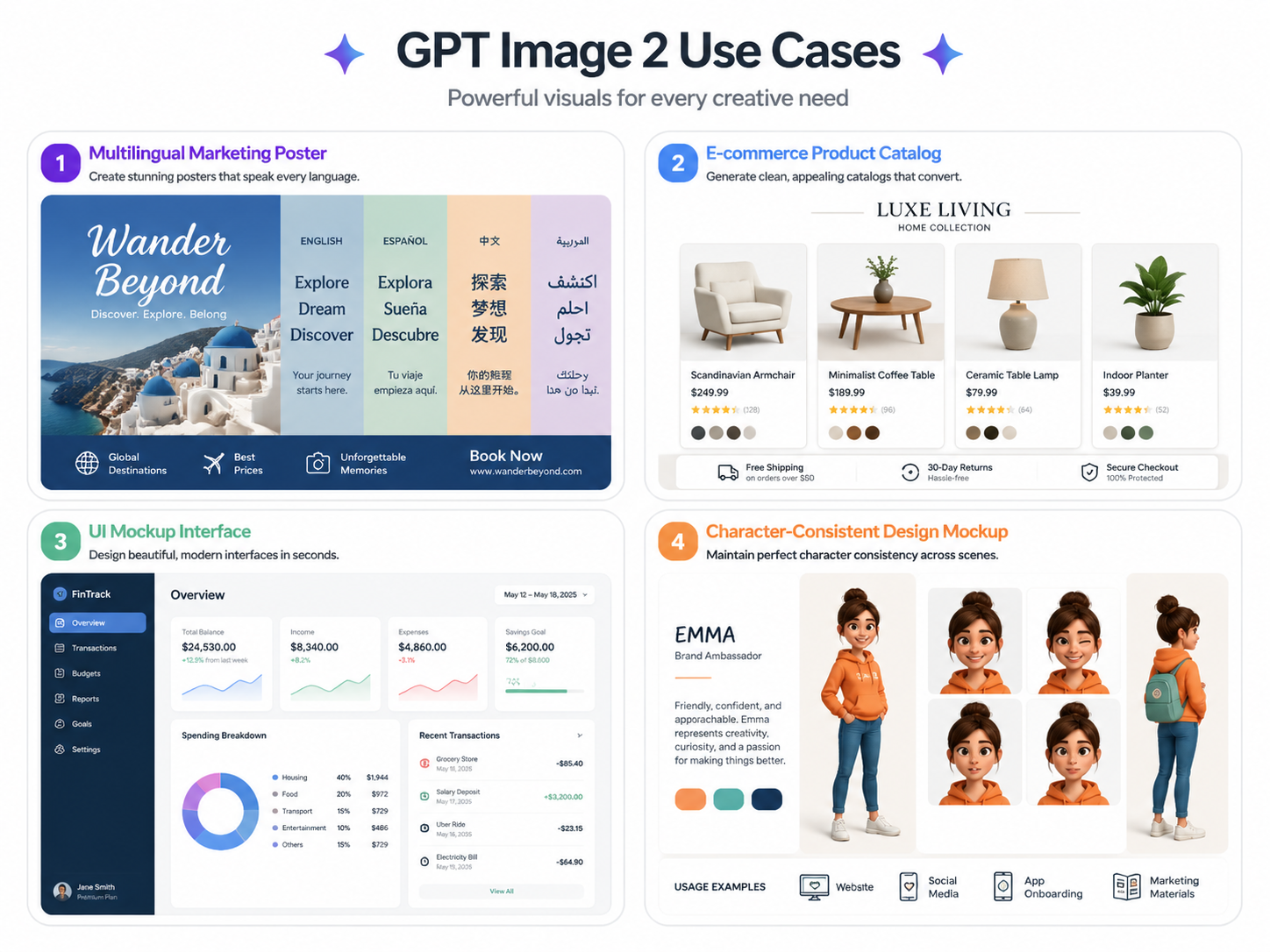
A social media graphic with a headline, product image, and CTA button text used to require three separate tools. With GPT Image 2, the whole composition — including readable copy — came out of a single prompt. We tested this with English and Chinese text. Both worked cleanly on the first try.

Product photography
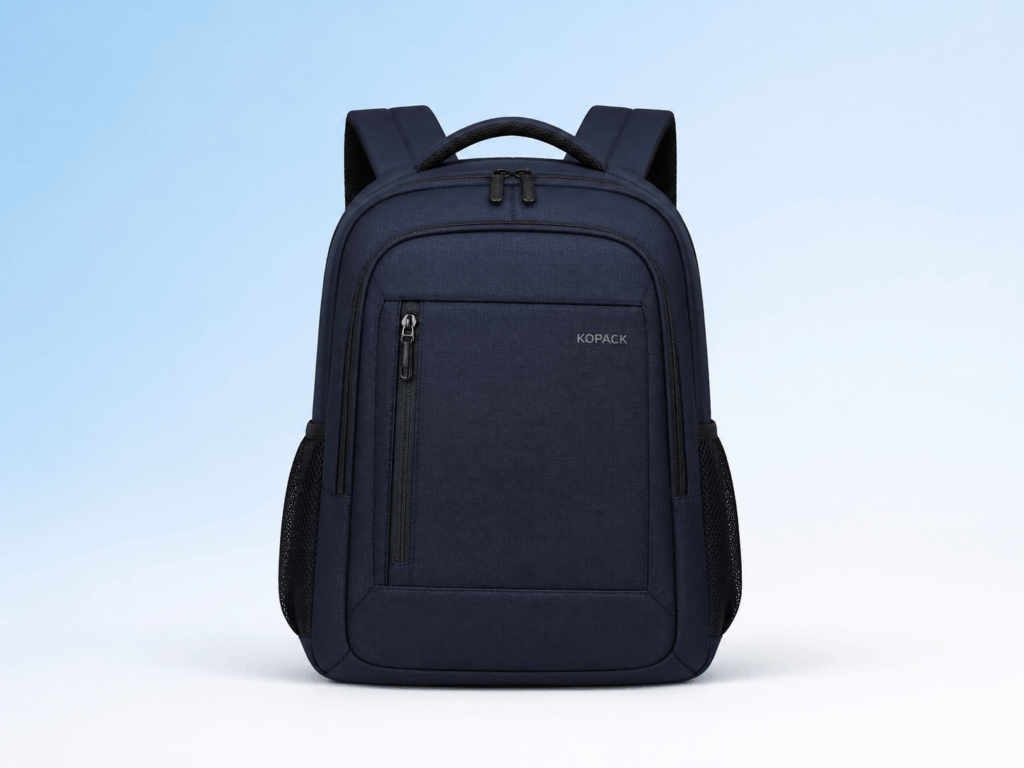
Clean studio-style product shots on white or gradient backgrounds. The model handles lighting and shadow well. It won't replace a professional photographer for a major campaign, but for catalog content, e-commerce thumbnails, or A/B test variants, the quality holds up.
UI mockups and wireframes
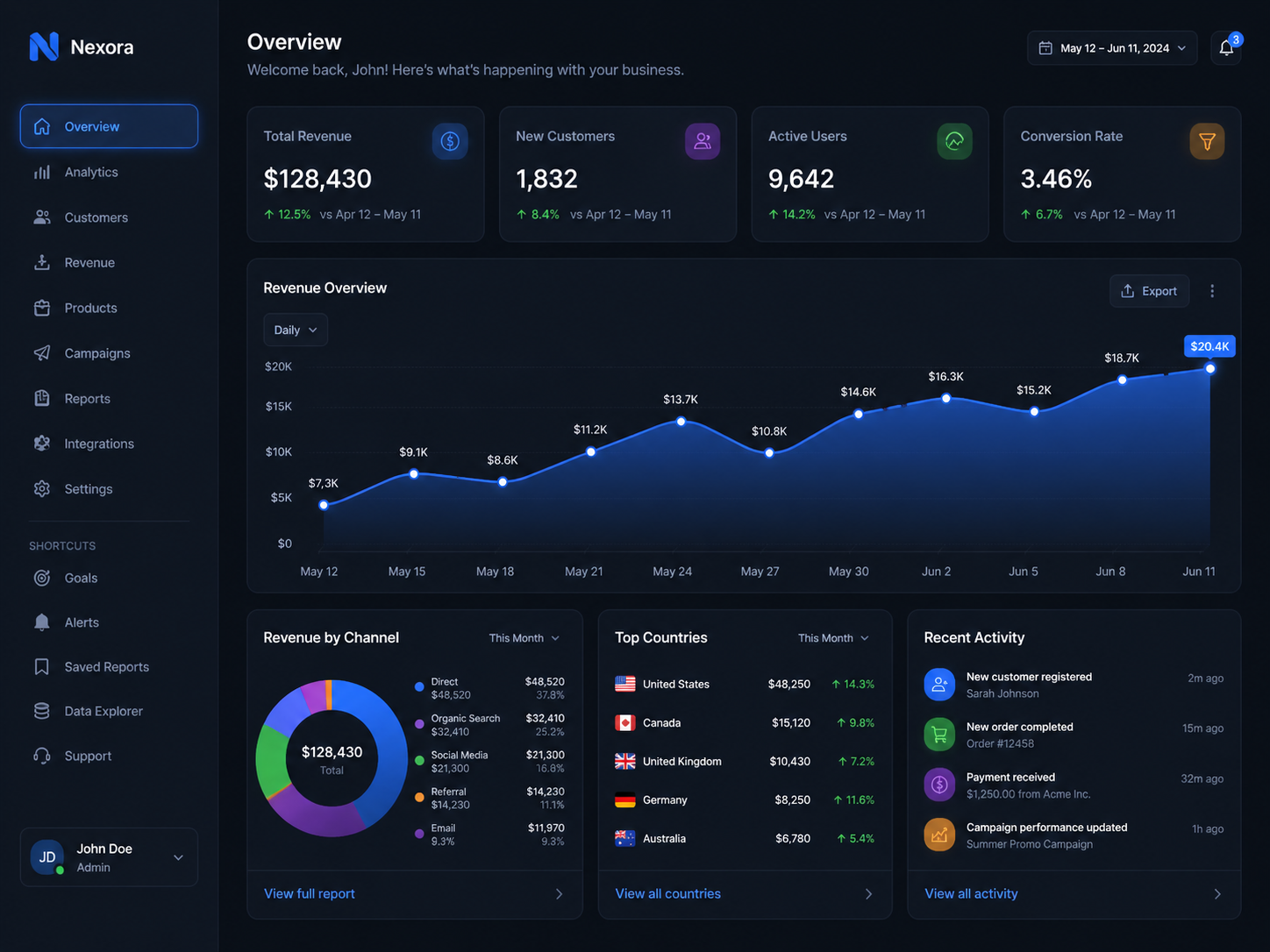
We prompted several SaaS dashboard layouts and mobile app screens. The model understood spatial relationships — sidebar left, main content area right, header with logo placement — and produced coherent mockups usable as rough references for design handoff.
Multilingual content production
This is where the model has a genuine edge over every other tool we've tested. Generating poster designs with accurate text in four different languages in a single session is something earlier AI image tools couldn't do reliably. For international marketing teams, this is the most practical upgrade in this release cycle.
Pricing and Access
According to this GPT Image 2 review, access through ChatGPT Plus is included in the standard subscription. PhotoGPT provides free access with no sign-up required.
PhotoGPT provides free access to GPT Image 2 with no login required — the fastest path to try the model.
Who Should Use GPT Image 2
Good fit:
- Marketing teams producing multilingual ad creatives
- E-commerce businesses needing product image variants at scale
- Content creators who need readable text in generated images
- Designers using it for rapid mockups and concept exploration
Less ideal:
- Workflows requiring exact brand logo reproduction
- Real-time or high-volume generation where speed is the main constraint (FLUX is faster)
- Users who need granular style control at the level Midjourney provides
- Open-ended creative work that benefits from less instruction-adherent models
We initially tried to fit GPT Image 2 into a high-volume content pipeline where we needed 200+ images per day. The generation speed made that impractical. We switched it to higher-stakes, lower-volume content — campaign hero images, multilingual poster variants — and that's where it performs well.
Prompt Tips That Actually Improved Our Results
Based on this GPT Image 2 review, after 30+ prompts, we noticed a few patterns that consistently produced better outputs:
Be specific about text placement. Rather than "a poster with the title at the top," write "a poster with the title 'Summer Sale' in bold white type centered at the top third of the image, 48pt size." The model takes spatial and typographic instruction literally, and the more specific you are, the less you need to regenerate.
Break complex edits into steps. If you need to change the background, adjust the lighting, and add a text overlay, run those as three sequential edits rather than one combined prompt. Multi-step changes in a single pass work sometimes — but sequential edits are more reliable and easier to control.
Specify aspect ratio in the prompt itself. Even when you set the aspect ratio in the interface, describing the intended format ("a 9:16 vertical banner for Instagram Stories") in the prompt text helps the model structure the composition correctly. Wide compositions with text at the bottom work differently from vertical ones, and the model seems to respond to explicit format cues.
Name your style references precisely. "Photorealistic" produces different results than "product photography on white background, studio lighting, slight shadow." The latter gives the model a concrete visual target, which matters for commercial output.
These aren't workarounds for a limited model. They're just how this architecture performs best — the more precise your input, the more predictable the output.
What Works and What Doesn't
This section of the GPT Image 2 review summarizes our verdict on model capabilities.
What works:
- Text rendering accuracy is a genuine step change — 97–99% across multiple languages
- Complex prompt adherence is the best we've seen in any commercial model
- Natural language editing works cleanly for single-element modifications
- 1K high-quality output, well-suited for social media and e-commerce content
- Free access via photogpt.io removes the trial cost barrier entirely
What doesn't:
- Brand logo reproduction is unreliable — not unique to this model, but worth knowing
- Generation speed (~30–45s at high quality) is slower than lightweight alternatives
- Multi-element editing in a single pass sometimes needs follow-up prompts
- Content policy is more restrictive than open-source alternatives
- Free tier has daily generation limits
Conclusion
After testing 30+ prompts across five categories, this GPT Image 2 review conclusion is straightforward: GPT Image 2 is the best commercially available model for content that requires accurate text, complex scene composition, and multilingual output. The reasoning-based architecture delivers on what the announcement promised.
It's not the right tool for every use case. If speed matters more than quality, FLUX is faster. If you need granular artistic style control, Midjourney has the edge. But for marketing production, product content, and any workflow where text in images has to be readable — this model is currently the one to beat.
We've been running it through PhotoGPT for two weeks. The multilingual text rendering alone changed how we approach international campaign production.
FAQs about GPT Image 2
This FAQ section addresses the most common questions from readers of this GPT Image 2 review.
What is GPT Image 2?
GPT Image 2 is OpenAI's latest image generation model, released April 21, 2026. It uses a reasoning-integrated architecture that improves text rendering accuracy to ~99%, outputs at 1K resolution by default on PhotoGPT, and handles complex multi-element prompts more reliably than previous models including DALL-E 3.
How does GPT Image 2 compare to Nano Banana 2?
GPT Image 2 leads on text rendering accuracy (97–99% vs ~91%) and instruction following thanks to its built-in reasoning model. Nano Banana 2 wins on speed (5x faster), cost (roughly 1/5th the price), and native aspect ratio support including 16:9. For text-heavy content, GPT Image 2 is the better choice. For high-volume batch production, Nano Banana 2 is more practical.
Can I try GPT Image 2 for free?
Yes, per this GPT Image 2 review. PhotoGPT provides free access with no sign-up required. Daily generation limits apply on the free tier.
Is GPT Image 2 good for commercial use?
For marketing creatives, product photography, UI mockups, and multilingual content, yes. For workflows requiring exact brand logo reproduction or very high generation volume, there are constraints worth evaluating first.
How do I get better results from GPT Image 2?
Describe spatial relationships explicitly, specify text content in quotes, and break complex edits into sequential steps. The model follows instructions literally — more precise input produces more predictable output.
Does it support multiple languages?
Yes. Text rendering accuracy exceeds 95% for English, Chinese, Japanese, Korean, Arabic, and other scripts. This is one of its strongest capabilities highlighted in this GPT Image 2 review.